APIs and Integrations: How Your Business Systems Talk to Each Other
Your store, accounting, payment gateway, WhatsApp and delivery company can share data automatically instead of being copied by hand. Here is what an API and a webhook are, and what to check before connecting systems.
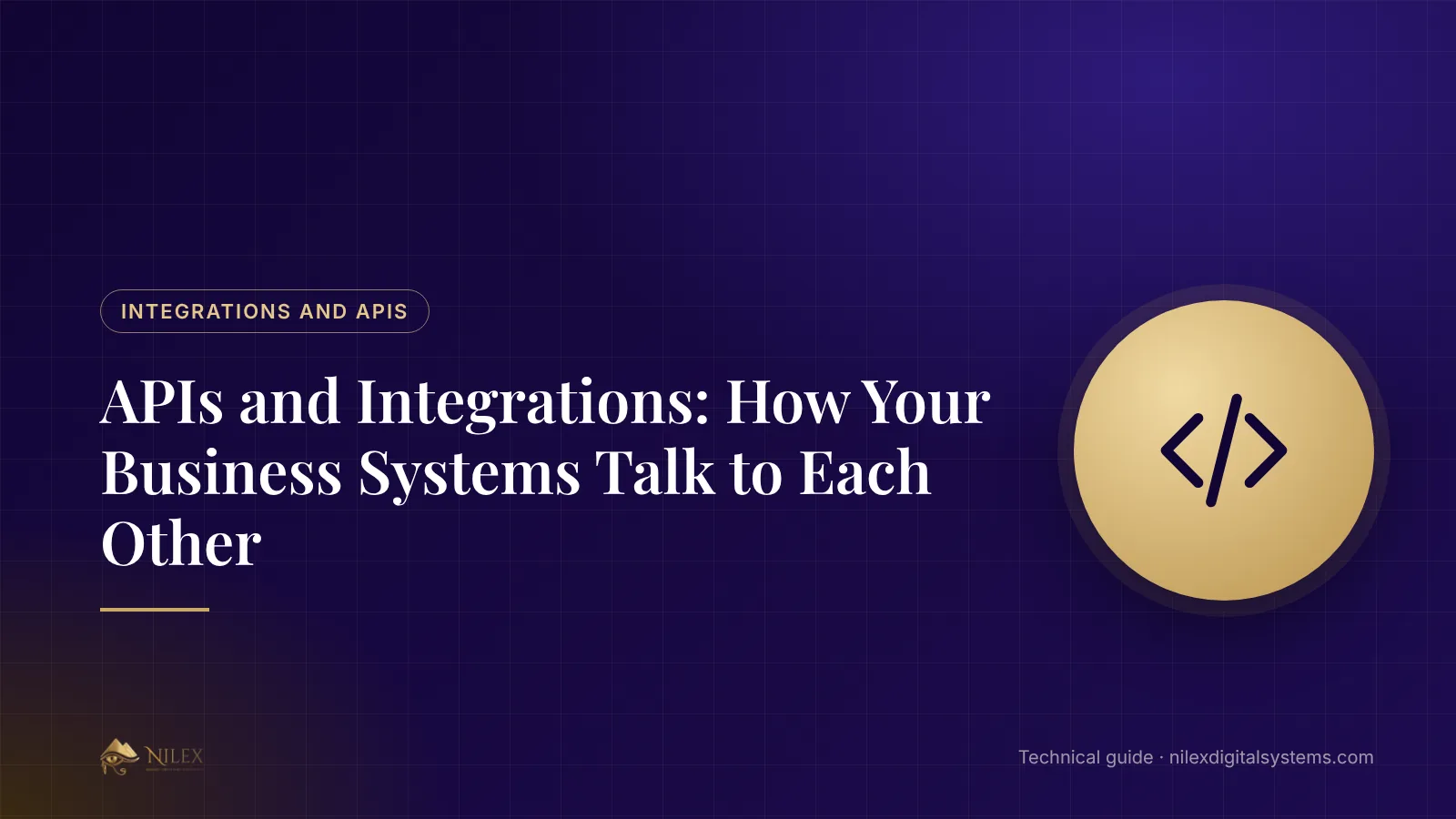
Short answer: an API is a door a system opens so another system can ask it for data or ask it to do something, such as "create this invoice" or "what is the stock of this item?". An integration uses these doors to move data between your systems automatically, so nobody copies orders, payments or messages by hand.
This guide is for owners and managers who use several tools (a store, accounting, a payment gateway, WhatsApp, a delivery company) and want them to work as one.
Key takeaways
- An API answers when it is asked; a webhook calls you when something happens.
- Good integrations remove re-typing and the mistakes that come with it.
- Decide for each piece of data which system is the master (the source of truth).
- Plan for failure: what happens when the other system is down for an hour?
- Keys and passwords for integrations are secrets: they never go in emails or chat.
API and webhook in plain words
| API | Webhook | |
|---|---|---|
| Who starts | Your system asks | The other system tells you |
| Example | The store asks the delivery company for a shipping price | The payment gateway tells the store "this order is paid" |
| Good for | Looking up or creating something on demand | Reacting at once to an event |
Integrations most companies need
- Online payments: the gateway confirms a payment, and the order is marked paid without anyone checking a bank statement.
- WhatsApp Business: order confirmations, reminders and replies from one shared inbox, with messages saved on the customer's file.
- Shipping companies: create the shipment from the order and track its status.
- Accounting: invoices and payments flow from the sales system to the accounts.
- Email and SMS: password resets, invoices and notifications.
- Website forms: every enquiry becomes a lead in the CRM.
Decide which system owns each piece of data
If the price of a product can be changed in the store and in the ERP, sooner or later the two will disagree. Before integrating, write a small table: customers are owned by the CRM, products and stock by the ERP, payments by the gateway. Data then flows one way, from its owner to the others.
How to plan an integration
- List the events: "order placed", "order paid", "order shipped", "payment refunded".
- For each event, write which system sends it, which receives it, and what should happen.
- Agree on matching fields, such as how an order number or a customer phone is written in each system.
- Test with fake data in the other system's test mode before going live.
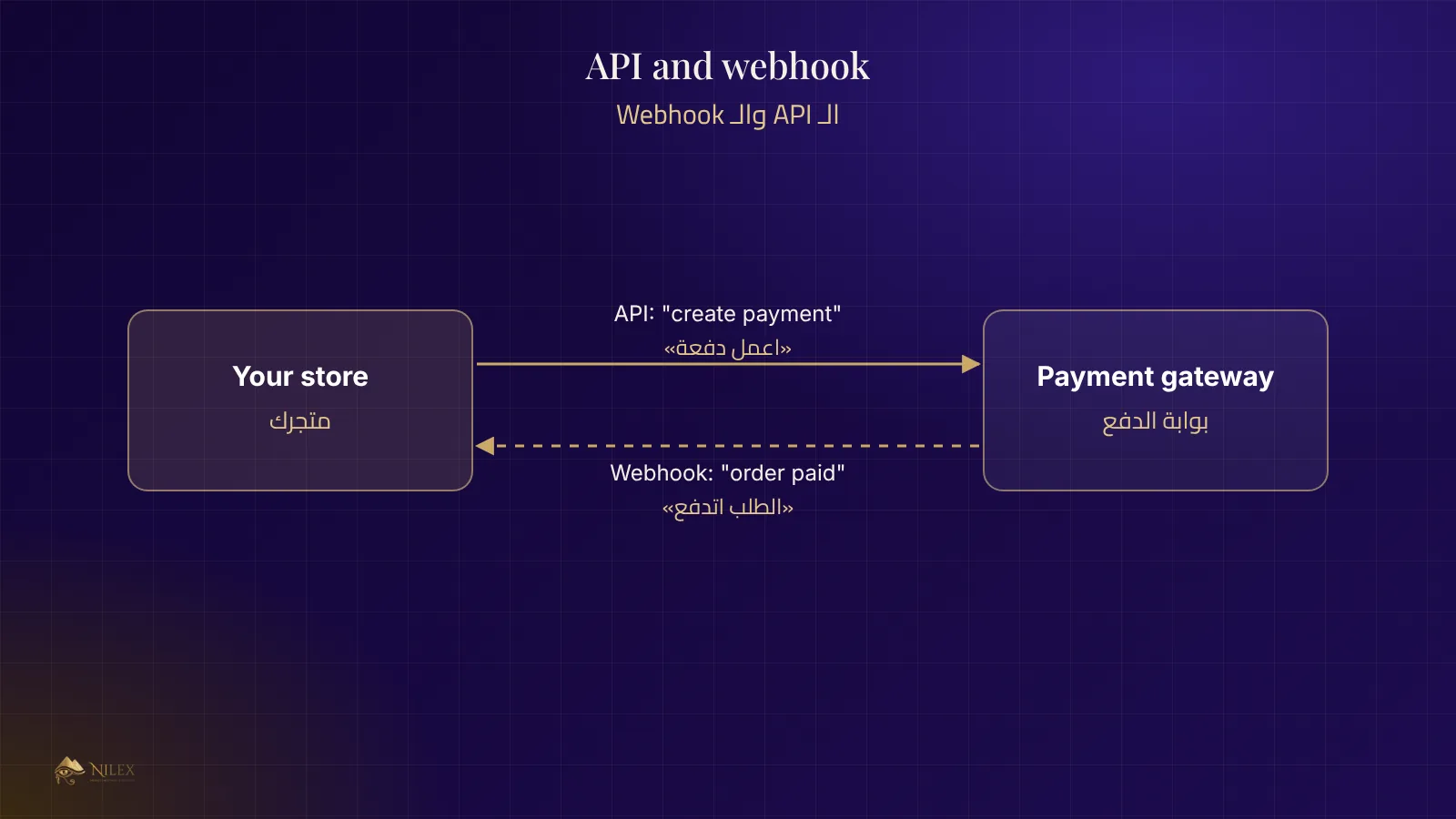
- Decide who is alerted when something fails.
Plan for things going wrong
Every external system will be slow or down at some point. A solid integration:
- Retries a failed call a few times before giving up, and records it.
- Does not double-process a webhook received twice (the same payment must not be counted twice).
- Verifies that a webhook really came from the sender, using its signature.
- Logs every call, so a missing order can be traced.
- Shows staff a clear status when something is waiting or failed.
Security of integrations
An API key is like a key to your shop. Keep it in the server's settings, never in the website's code, emails or chat; give each integration only the permissions it needs; and change the key if someone who had it leaves.
How Nilex helps
Nilex connects its systems to online payment gateways, the official WhatsApp Business Platform, shipping companies and email, and builds custom integrations with the systems you already use. See our custom systems and AI chatbots, and read how a business database is designed.
Frequently asked questions
Can any two systems be integrated?
Only if at least one of them offers an API or another documented way in. Ask the vendor for its API documentation before you buy.
Is integration a one-time job?
Mostly, but the other side may change its API over time, so plan for occasional updates.
What is middleware?
A tool that sits between systems and passes data between them. It helps when you connect many systems, at the cost of one more thing to maintain.
How long does an integration take?
A standard one, such as a payment gateway, takes days; a custom link between two business systems can take weeks, depending on the events and data involved.