
How a Business Database Is Designed: Tables, Relationships and Why They Matter
Every business system sits on a database. How it is designed decides whether your numbers stay correct, your reports stay fast and your data can grow. A plain explanation for owners and managers.
Short answer: a business database stores each kind of thing (customers, products, orders, payments) in its own table, and links the tables with relationships. A good design stores every fact once, refuses wrong data at the door, and keeps reports fast even with years of records.
You do not need to write a query to benefit from this guide. It is for owners and managers who want to ask the right questions when a system is being built for them, and to understand why "just add a column" is not always a small change.
Key takeaways
- One table per kind of thing; one row per item; one column per fact.
- Keys and relationships tie an order to its customer and its lines, so nothing floats loose.
- Rules inside the database (constraints) stop impossible data, such as negative stock or an invoice without a customer.
- Money and history need special care: amounts are stored exactly, and posted records are corrected, not erased.
- Indexes keep searches and reports fast as the data grows.
Tables, rows and columns
A table is like a well-kept sheet with strict rules. The customers table has one row per customer and columns such as name, phone and city. The products table has one row per product. The difference from a spreadsheet is that every column has a type (text, number, date, money), and the database refuses anything that does not fit.
Keys and relationships
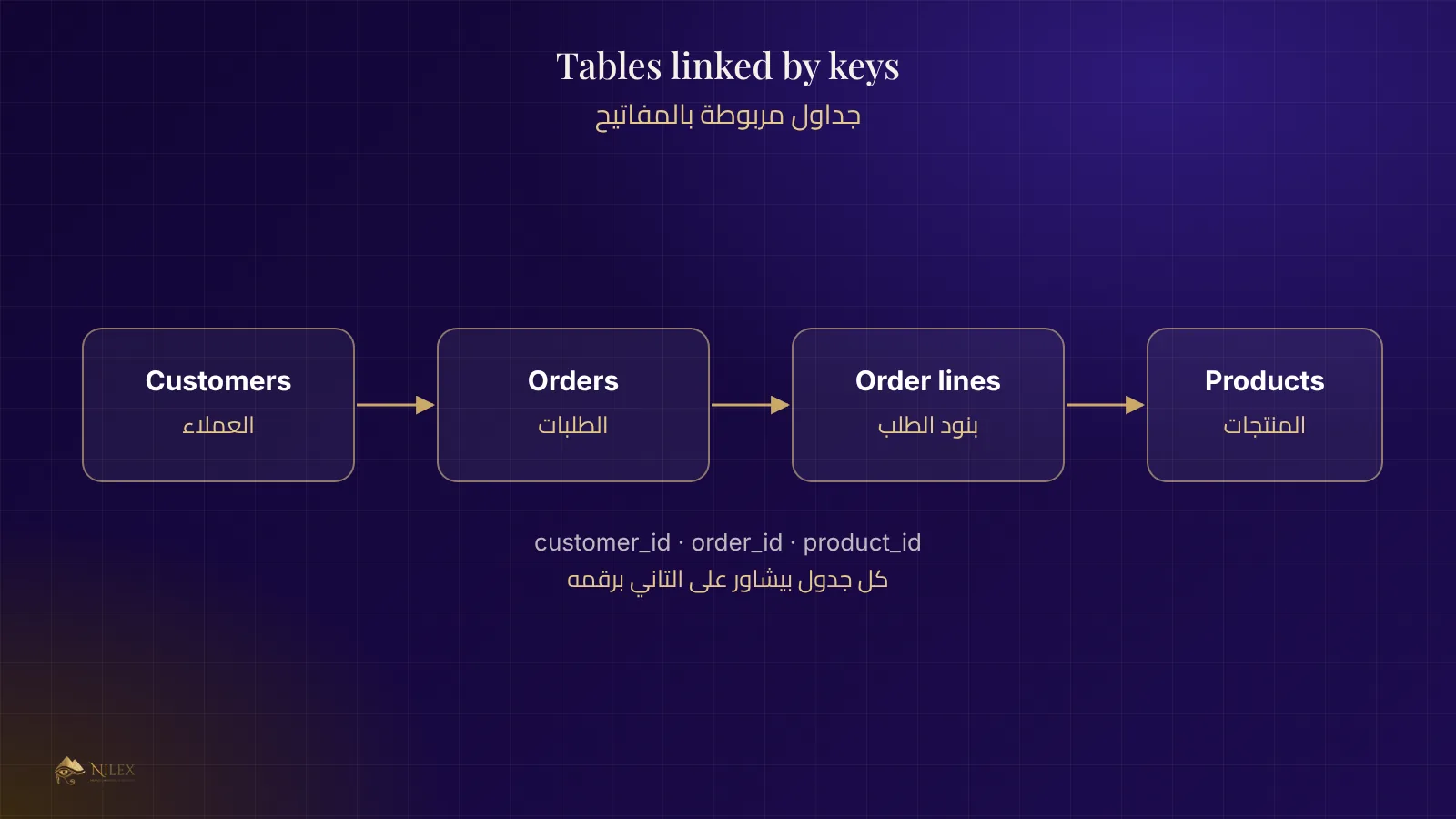
Each row has a unique identifier, its key. An order does not copy the customer's name; it stores the customer's key. That is a relationship. Because of it, when a customer changes their phone number, every order shows the new number automatically, and you can ask "all orders of this customer" in one step.
| Relationship | Example | What it prevents |
|---|---|---|
| One to many | One customer has many orders | An order without a customer |
| Many to many | An order has many products; a product is in many orders (through order lines) | Products typed by hand in every order |
| One to one | An employee and their payroll file | Two payroll files for one person |
Store each fact once
When the same information is typed in several places, the copies drift apart. Database designers call the cure normalisation: split data so each fact lives in one table. The product price lives in the products table, and the price actually charged on an order is copied into the order line at the moment of sale, because that one is a historical fact that must not change when the list price changes.
Rules that protect your numbers
A good database does not rely only on the screens to check data. It has its own rules:
- Required fields: an invoice must have a customer and a date.
- Unique values: two products cannot share the same code.
- Allowed values: an order status can only be one of the agreed statuses.
- Checks: a quantity cannot be negative; a discount cannot exceed the total.
- Transactions: a sale that updates stock and accounts either completes fully or not at all, so a power cut cannot leave half a sale.
Money and history
Amounts should be stored in an exact decimal type, never as rounded floating numbers, or totals will be off by a few piasters. Posted financial records, such as a paid invoice, are best corrected with a reversing entry rather than deleted or edited in place, and every change is written to an audit log: who changed what, and when. This is what lets an accountant trust the system.
Keeping it fast as you grow
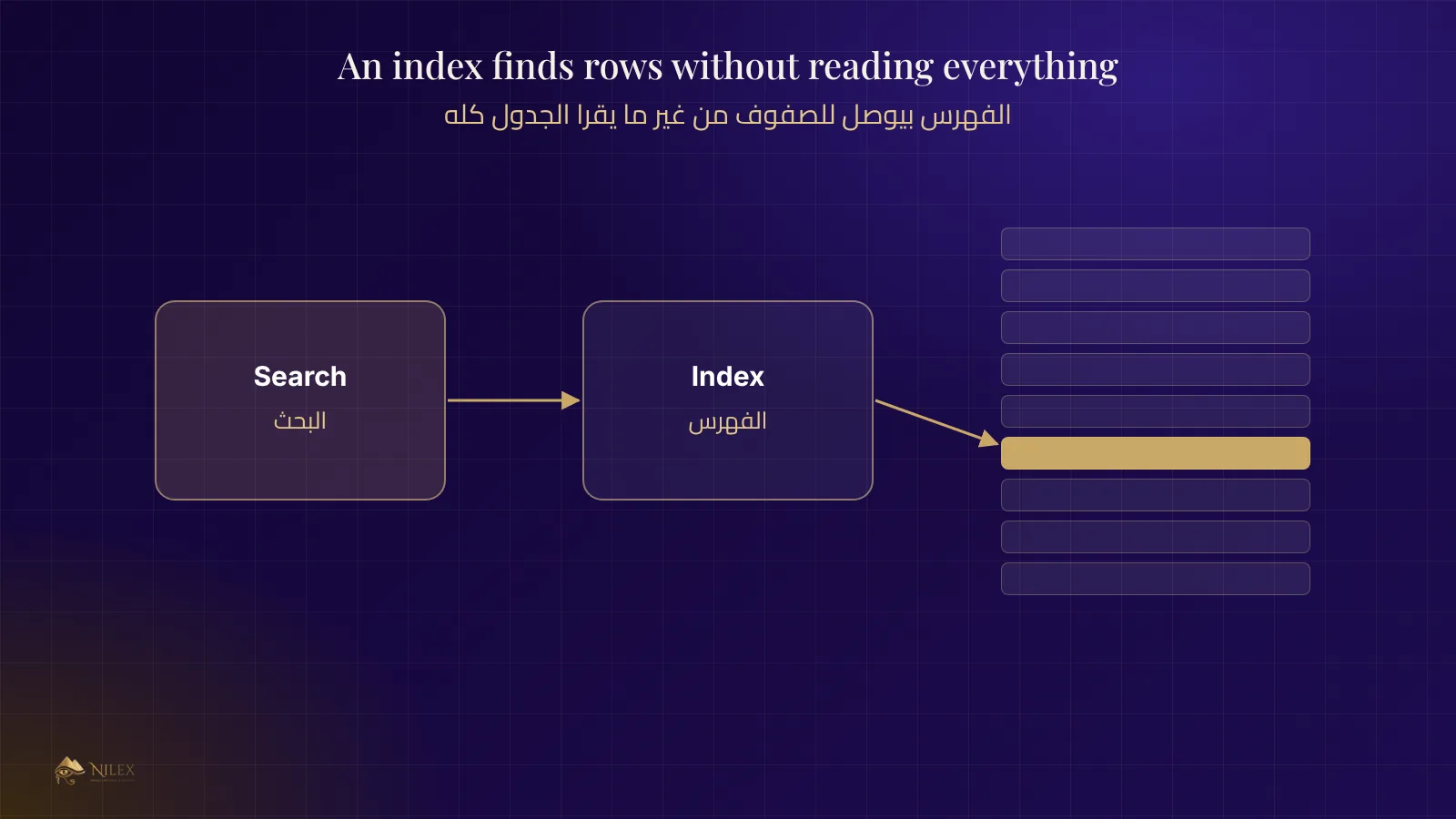
An index is like the index at the back of a book: it lets the database jump to the right rows instead of reading the whole table. Searching by customer phone or listing this month's invoices should use an index. Too few indexes make reports slow; too many slow down saving. A designer chooses them based on the questions the business asks every day.
Questions to ask whoever builds your system
- Is each kind of data in its own table, with keys linking them?
- Which rules are enforced by the database itself, not only by the screens?
- How are money amounts stored, and how are financial records corrected?
- Is there an audit log of changes?
- How will reports stay fast after five years of data?
- Can we export all our data if we ever need to?
How Nilex helps
Every business system Nilex builds starts with the data model: we map your customers, items, orders and money before any screen is drawn. Read also what an ERP system is and how backups protect the database.
Frequently asked questions
Is Excel a database?
No. A spreadsheet has no enforced types, no relationships and no rules, so it cannot stop wrong or duplicated data. It is fine for analysis, not as the record of a business.
Why is adding a field sometimes expensive?
Because the field may need rules, appear in several screens, be filled for old records, and be included in reports and exports.
What is a relational database?
One that stores data in tables linked by keys, as described in this guide. Most business systems use one.
Who owns the data in my system?
You should. Make sure your contract says so and that a full export is possible.