

What Is an ERP System, and How Do You Choose the Right One for Your Company?
An ERP system puts sales, stock, purchasing, accounts and staff in one database, so every department works from the same numbers. Here is what it includes, when a company needs one, and how to choose.
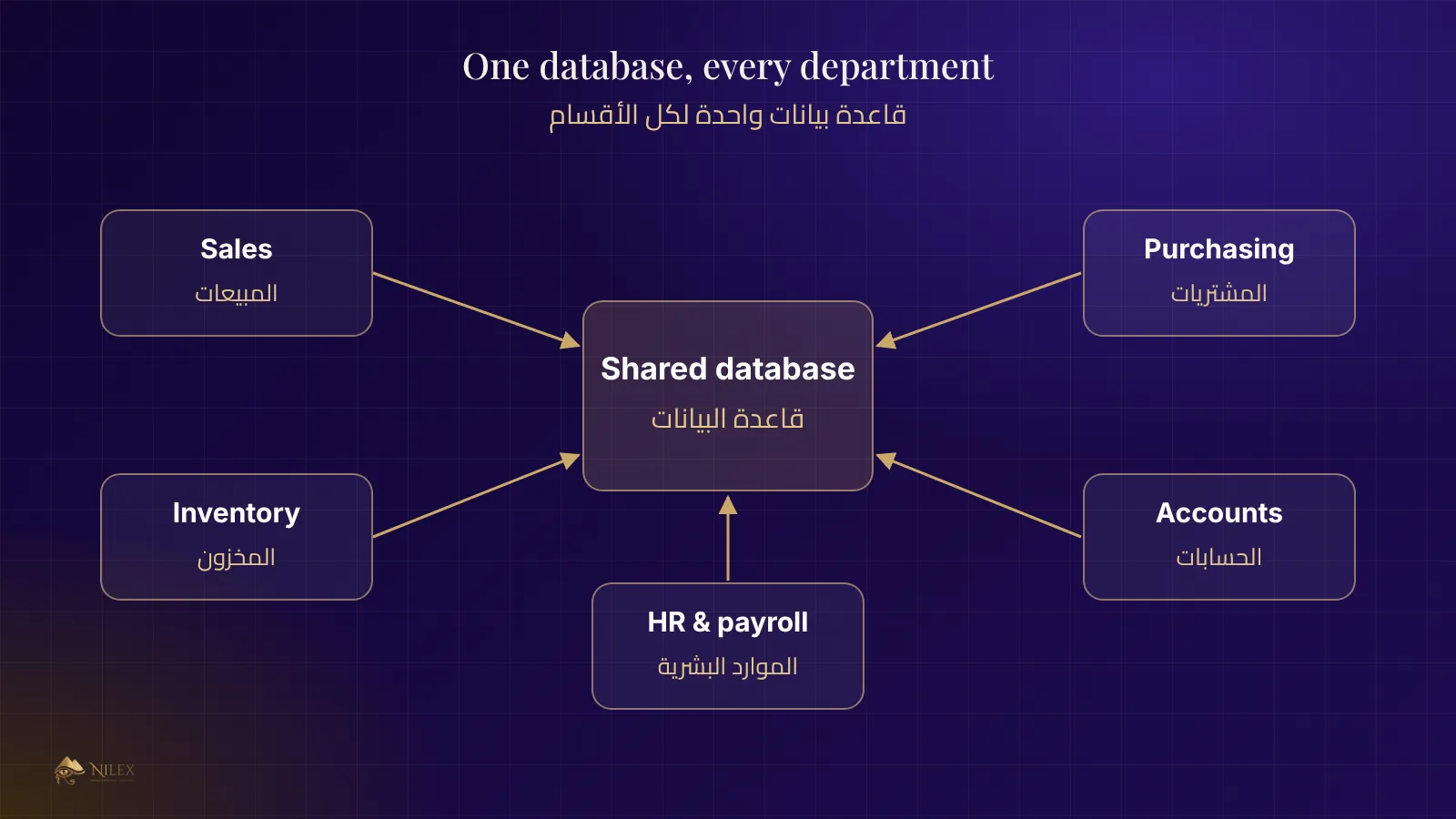
Short answer: an ERP (Enterprise Resource Planning) system is one piece of software that runs the core of a company: sales, stock, purchasing, accounts, staff and reports. Every department enters its work into the same database, so the warehouse, the sales team and the accountant always see the same numbers.
This guide is for owners and managers who run their company on spreadsheets, paper or several disconnected programs, and want to know whether an ERP is worth it and how to choose one without regretting it a year later.
Key takeaways
- An ERP is not one feature. It is a set of modules that share one database.
- The real gain is one version of the truth: no re-typing, no two stock figures, no "which file is the latest".
- Start from your processes, not from a feature list. Write down how an order moves today before you look at any system.
- Ready-made systems are faster to launch; custom systems fit unusual processes. Many companies use a ready-made base with custom changes.
- Plan for training, data migration and support, not only the licence or build price.
What does an ERP system actually do?
Think of a normal day in a trading or manufacturing company. A customer orders goods. Someone checks stock, someone prepares the delivery, someone issues the invoice, someone records the payment, and at the end of the month someone builds a report. Without an ERP, each of these steps lives in a different file or notebook, and each person copies data from the person before.
An ERP links these steps. The order is entered once. Stock is reserved automatically, the delivery note is printed from the order, the invoice is created from the delivery, the payment is matched to the invoice, and the report reads all of it directly. Nobody re-types anything.
Which modules does an ERP usually include?
Most ERP systems are built from modules. A company switches on the ones it needs:
| Module | What it handles | Who uses it |
|---|---|---|
| Sales and customers | Quotations, orders, invoices, customer accounts, price lists | Sales team, accounts |
| Inventory and warehouses | Stock per warehouse, transfers, stock counts, low-stock alerts | Warehouse, purchasing |
| Purchasing and suppliers | Purchase orders, receiving, supplier invoices and balances | Purchasing, accounts |
| Accounting and finance | Receipts, payments, expenses, cash and bank, profit and loss | Accountant, management |
| Production (for factories) | Recipes or bills of materials, production orders, raw-material use | Production, warehouse |
| HR and payroll | Employee files, attendance, leave, salaries and deductions | HR, management |
| CRM | Leads, follow-ups, calls and the sales pipeline | Sales team |
| Reports and dashboards | Sales, stock value, receivables, team performance | Management |
You do not need all of them on day one. A distributor may start with sales, stock and accounts; a service company may start with CRM, projects and invoicing.
Signs your company needs an ERP
- Stock on paper and stock in the warehouse never match.
- Month-end reports take days because someone has to collect files from every department.
- Customers are invoiced late or twice, or payments are not matched to invoices.
- You cannot answer quickly: how much does each customer owe, and what is our most profitable product?
- Opening a new branch or warehouse means copying the same mess again.
- Only one or two people know "how things work", and the company stops when they are away.
If three or more of these sound familiar, the cost of not having a system is probably already higher than the cost of one.
Ready-made or custom ERP?
| Ready-made system | Custom system | |
|---|---|---|
| Launch time | Weeks | Months |
| Fit to your process | You adapt to the system | The system follows your process |
| Initial cost | Lower | Higher |
| Unusual workflows | Often needs workarounds | Built in |
| Ownership of changes | Depends on the vendor | Agreed with the builder |
A middle path works for many companies: start from a ready-made system made for your industry, then add the few screens and reports that are specific to you. That is how the ready-made systems at Nilex are delivered.
How to choose: a practical checklist
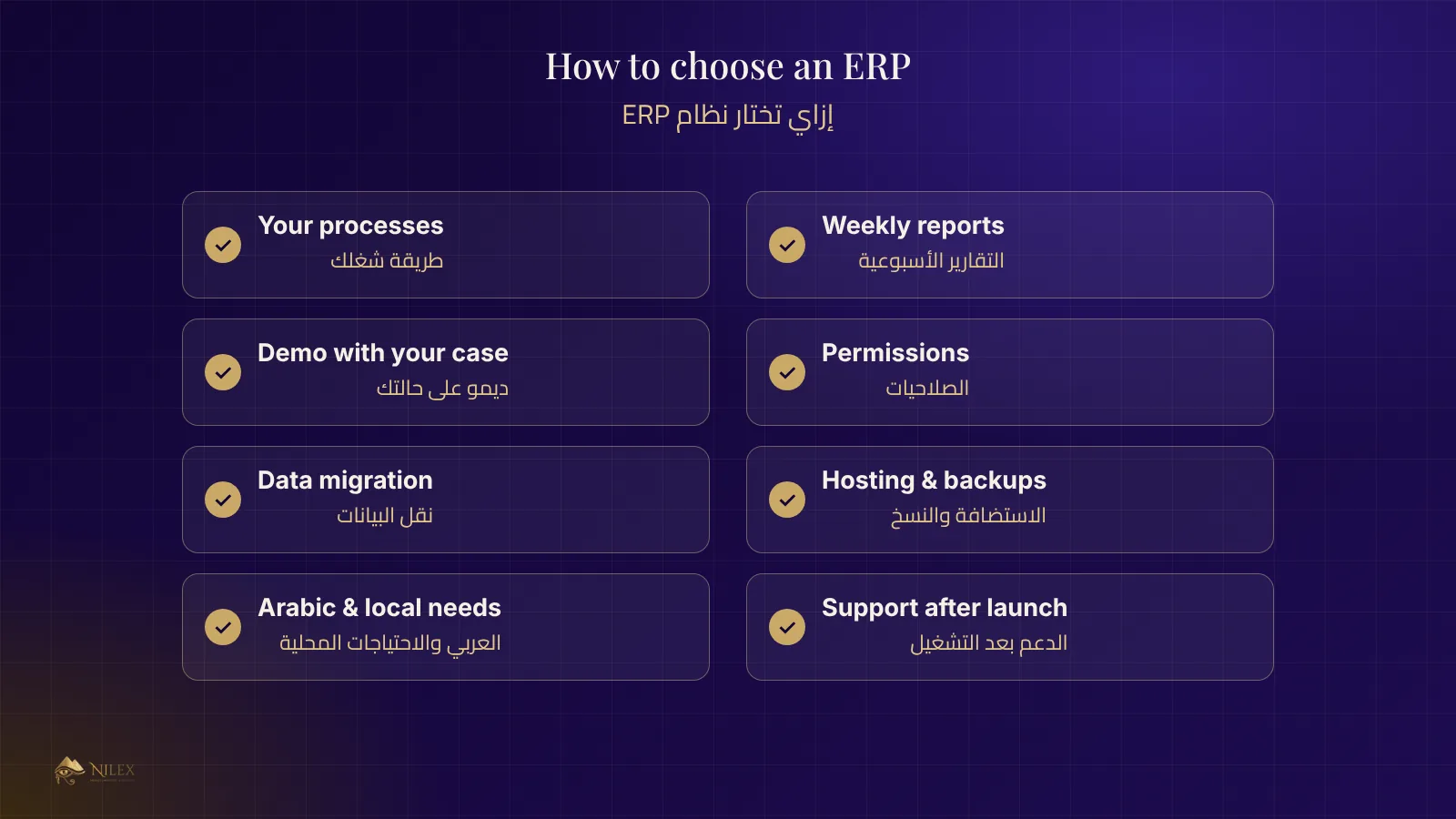
- Write your processes first. How does an order, a purchase and a payment move today? Who approves what?
- List the reports you need every week. If a system cannot produce them, it will not save you time.
- Ask for a demo with your own scenario, not the vendor's standard tour. Bring a real order with discounts and partial delivery.
- Check permissions. Can a salesperson see only their customers? Can the warehouse change prices? Who can delete an invoice?
- Check the language and local needs: Arabic interface, Arabic printing, local currencies and taxes.
- Ask how your current data moves in (customers, items, opening balances). See our guide on moving data to a new system.
- Ask where it runs and how it is backed up. See cloud or on-premise and backups and disaster recovery.
- Ask about support after launch: response times, updates, and who fixes what.
What costs should you plan for?
The price of the software is only one line. A realistic budget also includes:
- Setup and configuration: your branches, warehouses, price lists, users and permissions.
- Data migration: cleaning and importing customers, items and balances.
- Training: every role learns its own screens.
- Hosting and support: usually a yearly subscription after the first year.
- Changes: new reports or screens as the company grows.
How a good rollout goes
The safest rollouts are done in steps. Start with one module and one branch, run it next to the old way for a short period, compare the numbers, then switch fully and move to the next module. Trying to switch everything on the same day is the most common reason ERP projects fail.
How Nilex helps
Nilex builds custom ERP systems and offers ready-made systems for specific industries, delivered with your data, your branches and your team trained. If you are not sure which path fits, tell us how your company works today and we will suggest one.
Frequently asked questions
Is an ERP only for large companies?
No. A small company with one warehouse and a few employees often benefits most, because it is the stage where mistakes in stock and invoicing are most expensive.
How long does it take to launch an ERP?
A ready-made system can run within weeks. A custom system usually takes a few months, depending on the number of modules and how clear the processes are.
Can I keep using Excel next to the ERP?
For exports and one-off analysis, yes. For daily work, no: the point of an ERP is that the data is entered once in one place.
What happens if I outgrow the system?
Ask before you buy whether new modules, branches and users can be added later, and whether you can export all your data.