
Moving to a New System: How Data Migration Is Done Without Losing Data
Customers, items, opening balances and open orders have to move from spreadsheets or an old system into the new one, correctly and on time. Here are the steps, the traps and how to check the result.
Short answer: a safe migration moves only the data you need, cleans it before it moves, maps every old field to a new one, is rehearsed at least once on a copy, and is checked with totals that must match on both sides. The switch itself happens on a planned cut-off date, after which the old system is read-only.
This guide is for companies moving from Excel, paper or an older program into a new ERP, CRM or store, and for the person who will be asked "are the numbers right?" on launch day.
Key takeaways
- Not everything has to move. Master data and opening balances usually matter more than ten years of old invoices.
- Clean first: duplicates, missing codes and wrong phone numbers are cheaper to fix before the move.
- Rehearse on a copy, then reconcile totals: number of customers, stock value, receivables.
- Choose a cut-off date and freeze the old system after it.
- Keep the old data archived and readable for reference.
What should be migrated?
| Data | Usually migrated? | Why |
|---|---|---|
| Customers and suppliers | Yes | The new system cannot work without them |
| Items, units and prices | Yes | Needed for every order |
| Opening stock per warehouse | Yes, at the cut-off date | Stock must start correct |
| Opening balances (who owes what) | Yes, at the cut-off date | Receivables and payables must match |
| Open orders and unpaid invoices | Yes | Work in progress continues |
| Closed history (old invoices) | Sometimes | Often kept as an archive or as summary totals |
The steps of a migration
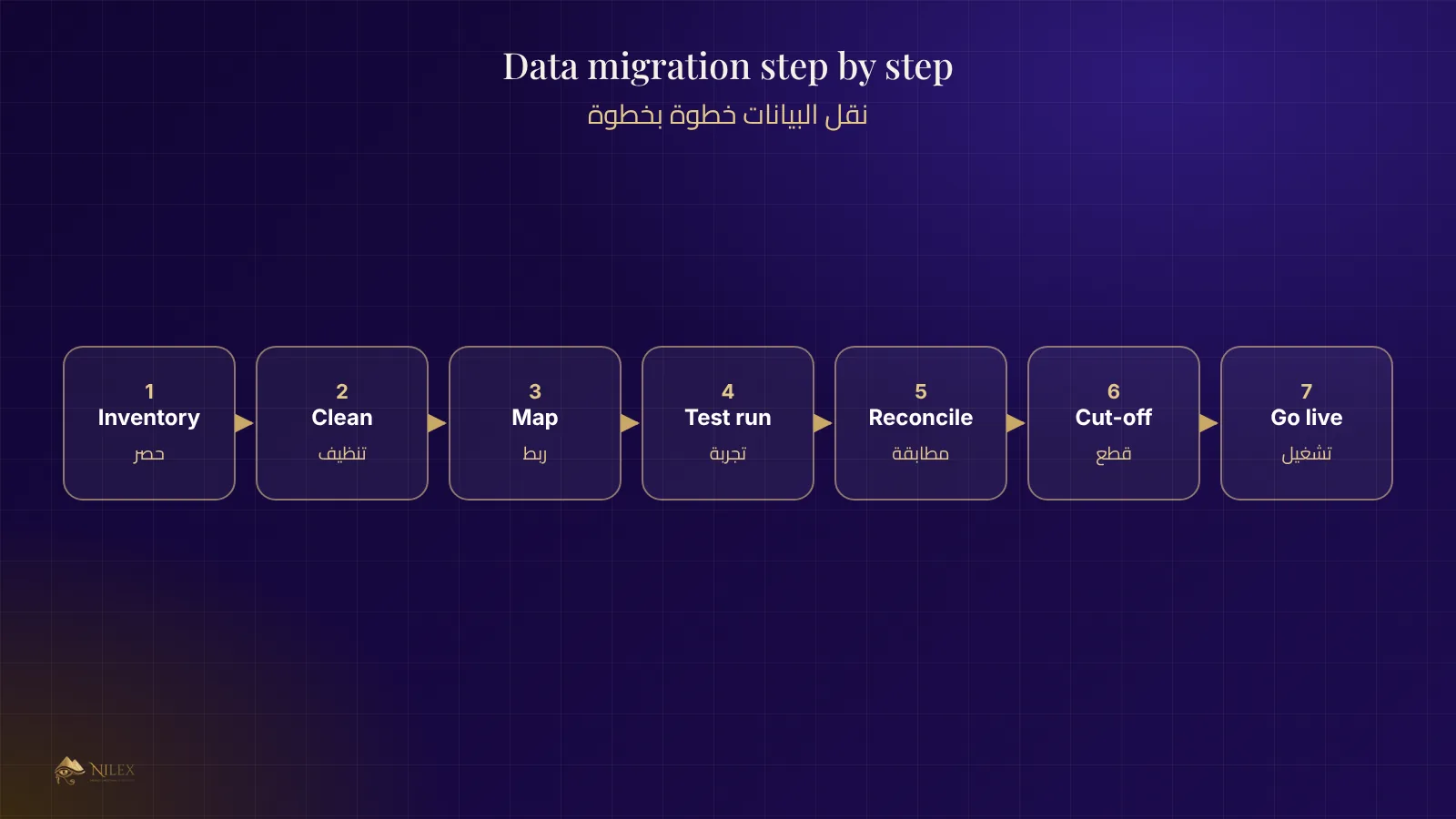
- Inventory the sources. List every file and system that holds the data, and who keeps it up to date.
- Clean. Merge duplicates, give every item a unique code, fix phone formats, remove customers nobody has dealt with in years.
- Map. For each column in the old data, write which field it becomes in the new system, and what happens to values that do not fit.
- Test run. Import into a copy of the new system, not the live one.
- Reconcile. Compare counts and totals between old and new (see the checklist below).
- Fix and repeat until the totals match.
- Cut-off. Choose a date, freeze the old system, take the final balances and import them.
- Go live, with the team trained and someone watching the first days closely.
Reconciliation checklist
- Number of customers, suppliers and items: old vs new.
- Total stock quantity and value per warehouse.
- Total receivables and the balance of the ten largest customers.
- Total payables and the balance of the ten largest suppliers.
- Open orders: count and total value.
- A sample of records checked by hand, field by field.
Keep the reconciliation signed and dated. It is your proof that the new system started from correct numbers.
Common traps
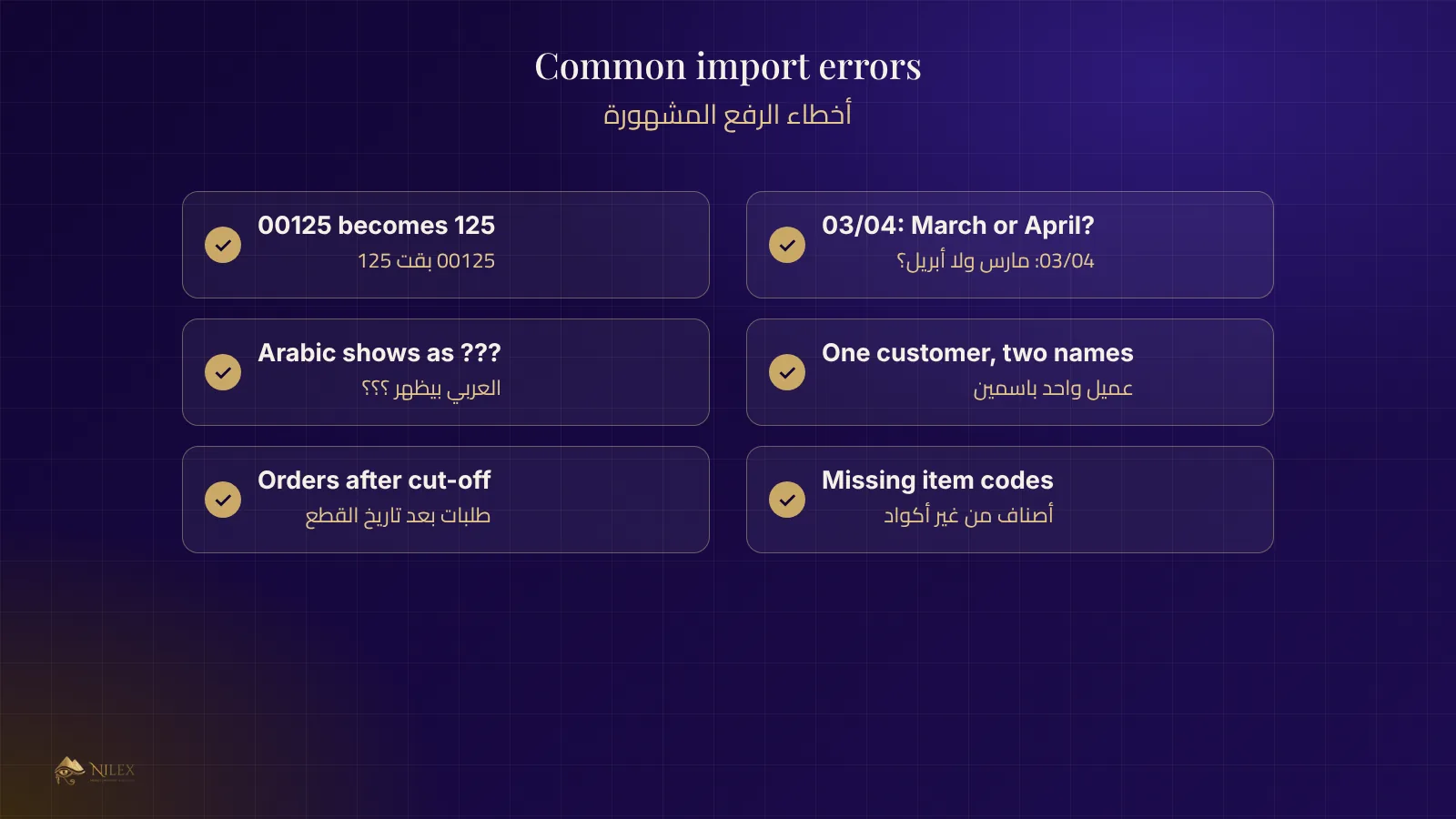
- Codes as numbers: Excel turns item code 00125 into 125. Import codes as text.
- Dates: 03/04 is March in one file and April in another. Agree on one format.
- Arabic text: save files as UTF-8 so Arabic names do not turn into question marks.
- Two people, one customer: the same customer typed differently in two branches.
- Moving while working: new orders entered in the old system after the cut-off get lost. Freeze it.
How Nilex helps
When Nilex delivers a ready-made system or a custom system, we agree on what moves, prepare import templates, run a test import and review the totals with you before launch. Read also how to choose an ERP and how a business database is designed.
Frequently asked questions
How long does a migration take?
For a small company with clean files, days. When data is spread over many files and needs cleaning, a few weeks, most of it spent on cleaning.
Can we migrate on a working day?
The final step is best done at the end of a month or on a weekend, so the cut-off balances are clear and nobody enters new data mid-way.
What if we find a mistake after launch?
It is corrected with an adjustment entry, with the reason written down, never by editing the imported history silently.
Do we keep the old system?
Keep it read-only, or keep an export, for a period agreed with your accountant.