
User Permissions and Audit Logs in ERP and CRM: Stopping Insider Risk
How to design user permissions and audit logs in your ERP and CRM: least privilege, role-based access control, segregation of duties for payments, same-day offboarding, quarterly access reviews and tamper-evident audit trails, with Egyptian examples.
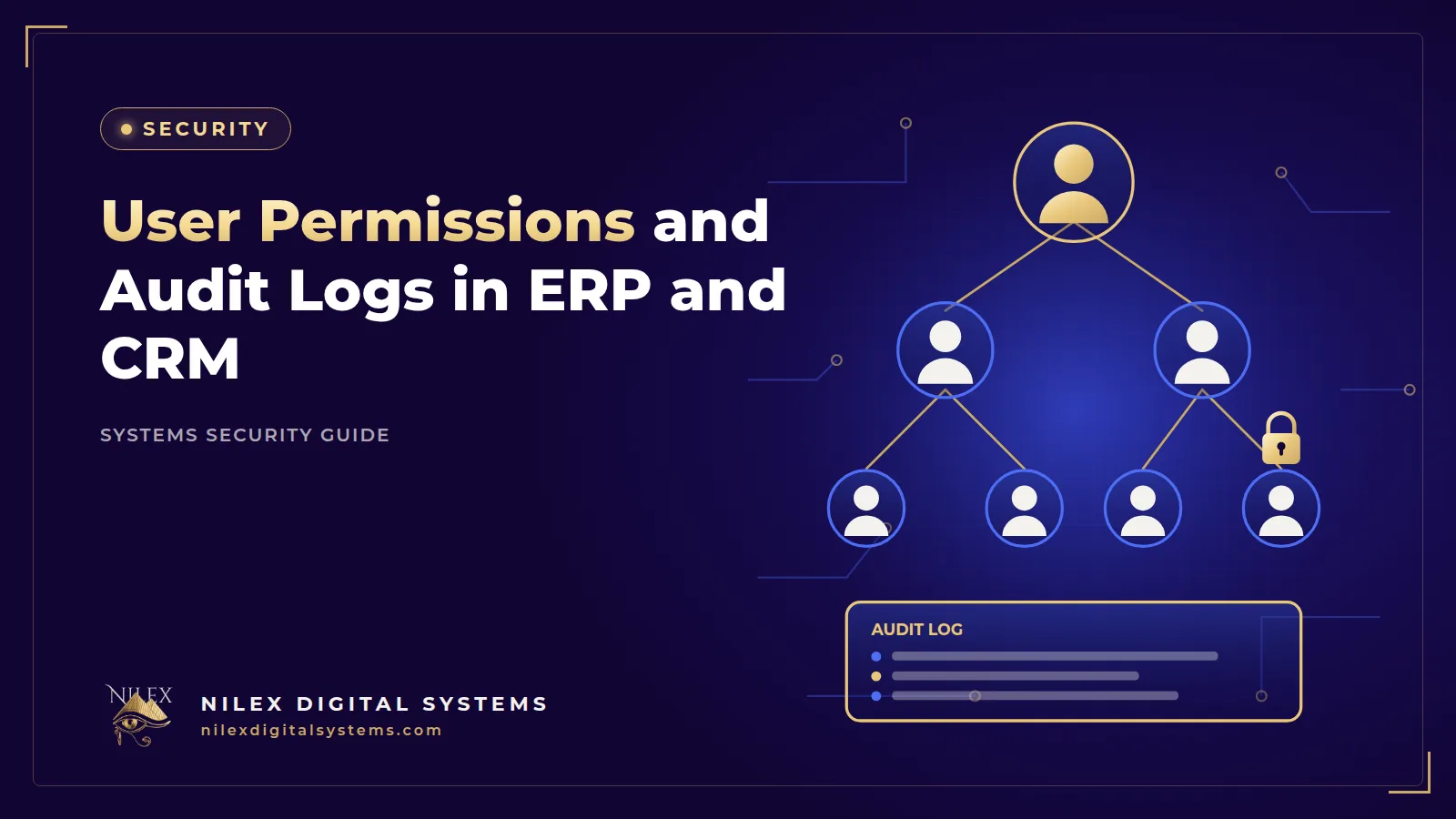
A sales rep exports the full customer list from the CRM the week before joining a competitor. A cashier voids paid orders at the end of the shift and keeps the cash. A branch manager quietly lowers prices for a relative's shop. A former accountant can still log in to the ERP three months after leaving. None of these needs a hacker. They need an account with more access than the job requires, and a system that does not record who did what.
The short answer: give each user only the permissions their role needs (least privilege), group them into roles (RBAC), split sensitive tasks so no single person can create and approve a payment (segregation of duties), remove access the same day someone leaves, review access every quarter, and keep an audit log that records who did what, when, and what the data looked like before and after. This guide shows how to apply each step in an Egyptian ERP or CRM.
Key takeaways
- Broken access control is A01, the top risk, in the OWASP Top 10:2025; OWASP reports that 100% of the applications tested had some form of it.
- Design permissions by role, by action (view, export, approve) and by data scope (own branch, own customers).
- No one person should both create and approve a payment, a supplier bank change or a large discount.
- Offboarding means disabling every account on the last working day, not "when IT has time".
- An audit log is useful only if it records before-and-after values and ordinary admins cannot edit or delete it.
What insider risk looks like in an Egyptian company
Insider risk is not only theft. Most of it is mistakes and convenience: a shared "admin" password, a manager who keeps old permissions after a promotion, a temporary account created for an auditor and never removed. The Verizon 2026 Data Breach Investigations Report found a human element in 62% of breaches, which covers errors, misuse and people being tricked.
Typical cases we see in business systems:
- Distribution company in the Delta: every sales rep can see and export all customers, not only their own route.
- Retail chain in Cairo: cashiers can void or refund without a supervisor, and nobody reviews voids per cashier.
- Factory in 10th of Ramadan: the storekeeper can post inventory adjustments that no one approves.
- Clinic: reception staff can open full medical notes when they only need appointments and payments.
User access control is one of the five technical controls in the UK NCSC Cyber Essentials scheme, alongside firewalls, secure configuration, security updates and malware protection. It belongs in the basics, not in a later "phase two".
Least privilege and role-based access control (RBAC)
Least privilege means each person gets the minimum access needed to do their job, and nothing by default. Role-based access control makes this manageable: instead of setting permissions person by person, you define roles such as "Sales rep" or "Branch accountant" and assign people to them.
Three layers of permission
- Action: view, create, edit, delete, export, print, approve. Export and delete deserve their own permissions.
- Data scope: own records, own branch, own region or all. A rep in Mansoura sees Mansoura customers.
- Fields: some columns are sensitive even when the record is not, such as cost price, margins, salaries, or a patient's diagnosis.
An example role matrix for a distributor
| Permission | Sales rep | Branch manager | Accountant | Finance manager | Storekeeper |
|---|---|---|---|---|---|
| View customers | Own route | Own branch | All (no export) | All | No |
| Export customer list | No | No | No | Yes, logged | No |
| Create sales invoice | Yes | Yes | Yes | No | No |
| Approve discount above the limit | No | Yes | No | Yes | No |
| Edit price list | No | No | No | Yes | No |
| Create supplier payment | No | No | Yes | No | No |
| Approve supplier payment | No | No | No | Yes | No |
| Post inventory adjustment | No | Approve | No | No | Request |
| See cost price | No | Yes | Yes | Yes | No |
Keep roles few and clear. When every user has a custom set of rights, nobody can review them.
Segregation of duties: nobody approves their own work
Segregation of duties (SoD), sometimes called the maker-checker rule, splits a sensitive process so one person starts it and another approves it. The system should enforce it, not just the policy.
- Payments: the accountant creates the payment; the finance manager approves it; the system blocks the same user doing both.
- Supplier bank details: a change is requested by one user, verified by a phone call to a known number, and approved by another. This is also the main defence against the fake bank-change emails described in our guide to phishing and fake payment requests.
- Discounts and credit limits: above a set threshold, a manager approves.
- Inventory adjustments and write-offs: the storekeeper requests, a manager approves.
- User and role changes: the person who grants admin rights should not be the only person who reviews them.
When the team is small
A company with one accountant cannot split every task. Use compensating controls instead: the owner receives a weekly report of payments, voids, discounts and bank-detail changes, and the system flags any record created and approved by the same user.
Permissions must be enforced on the server
Hiding the "Export" button from sales reps is not access control. If the server still answers the export request, anyone who knows the address can call it. The OWASP A01:2025 Broken Access Control page lists the usual failures: missing checks on actions that change data, viewing another user's records by changing an ID in the address, tampering with tokens or cookies to raise privileges, and permissions that are open by default.
What OWASP recommends
- Deny by default for anything that is not public.
- Enforce access checks on the server only; the screen is not a security layer.
- Check record ownership: the system should confirm that invoice 10452 belongs to this user's branch before showing it.
- Rate-limit APIs, invalidate sessions on logout, and log access-control failures with alerts on repeated attempts.
In practice, a login token such as a JWT can carry the user's identity and role, but every request must still be checked against current permissions, and a role change or deactivation must take effect immediately, not when the token expires. Our explainer on the OWASP Top 10 (2025) for business owners covers the other nine risks.
Joiners, movers and leavers
Most permission problems come from changes in people, not from the initial setup.
Joiners
Access is granted from a written request approved by the line manager, using a standard role. No copying "the same rights as Ahmed".
Movers
When a sales rep becomes a branch manager, remove the old role before adding the new one. Otherwise rights accumulate over years ("privilege creep") until long-serving staff can do almost anything.
Leavers: the same-day checklist
- Disable ERP, CRM, email and remote access accounts on the last working day, or immediately for a dismissal.
- Revoke active sessions, API keys and mobile app logins.
- Remove the person from WhatsApp Business groups, shared drives and courier or payment-gateway dashboards.
- Change any shared passwords they knew, and transfer ownership of their customers and open tasks.
- Keep the account disabled, not deleted, so its audit history remains.
Quarterly access reviews
Every three months, export a list of users with their roles, branches and last login, and ask each department head to confirm it. Look for:
- Accounts of people who have left, and accounts with no login in 90 days.
- More admins than the business needs.
- Users with conflicting permissions, such as create and approve payments.
- Generic accounts such as "branch1" or "test" that nobody owns.
The owner or general manager signs off. It takes an hour and it is the evidence you will want if something goes wrong.
Designing an audit log that holds up
An audit trail answers five questions for every sensitive event: who (user and role), what (action and record), when (server time), from where (IP address, device, branch), and what changed (the value before and after).
| Event | Why log it | Example alert |
|---|---|---|
| Login success and failure | Detect password guessing and shared accounts | Many failures on one account |
| Export or bulk print | Detect data theft | Customer export outside working hours |
| Price, discount and credit-limit changes | Detect fraud and favouritism | Price lowered then invoice issued to the same customer |
| Voids, refunds and deletions | Detect cash theft | One cashier far above the branch average |
| Supplier or employee bank-detail changes | Detect payment diversion | Any change triggers a notice to finance |
| User, role and permission changes | Detect privilege abuse | A new admin account created |
Make it tamper-evident
- Write logs as append-only records, ideally to storage separate from the main database.
- Do not give ordinary admins a way to edit or delete log entries.
- Use structured logs (for example with Pino) so they can be searched and alerted on.
- Never write passwords, OTP codes or full card numbers into logs.
- Set a retention period and review alerts weekly; a log nobody reads is only a record of what you missed.
What Egyptian law adds
Under the Personal Data Protection Law 151/2020 (Andersen translation), Article 4 requires controllers to take the necessary technical and organisational measures to protect personal data and to keep a record that includes a description of their security measures. Article 7 requires breach notification to the Personal Data Protection Center within 72 hours, which is only realistic if your logs can show what was accessed. The grace period under the Executive Regulations ends on 1 November 2026. See our guide to breach notification within 72 hours.
The Anti-Cyber and IT Crimes Law 175/2018 (Andersen translation) also matters for insiders. Article 15 penalises exceeding authorised access, in time or level, with at least six months' imprisonment and/or a fine of EGP 30,000 to 50,000. Article 14 covers intentional access without right, such as a former employee logging in after leaving. Good permissions define what "authorised" means; good logs show what happened. Our explainer on Law 175 of 2018 for companies covers manager duties and reporting.
How Nilex helps
In the custom ERP systems Nilex builds, permissions are checked on the server for every request, roles are defined with the client's managers, and sensitive actions can require a second approver. Audit logs record before-and-after values in structured form, and access tokens are short-lived JWTs so deactivation takes effect quickly. Compare the Growth ERP package to see what fits a multi-branch business, or ask us to review the roles in your current system.
Frequently asked questions
What is role-based access control in an ERP?
It means permissions are attached to roles, such as sales rep or branch accountant, and users are assigned to roles. It makes permissions consistent and easy to review, instead of every user having a unique set of rights.
What is the difference between an audit log and a normal system log?
A technical log helps developers fix errors. An audit log records business actions by users, with who, what, when and before-and-after values, and is protected from editing. You need both, kept separately.
How can I stop sales reps from taking the customer list when they leave?
Limit each rep to their own customers, remove the export permission, log and alert on bulk exports, and disable their accounts on their last day. No control is perfect, but these make large-scale copying visible and harder.
How often should user permissions be reviewed?
At least every quarter, and immediately after a restructuring, a new branch or a security incident. Admin and finance roles deserve a monthly look.
Can a small company apply segregation of duties?
Yes, partly. Split the most sensitive steps, such as payments and bank-detail changes, and where you cannot, have the owner review a weekly exceptions report generated by the system.
Want to know who can see, export and approve what in your ERP or CRM today? Book a free access-control review through our contact page.
This article is general information, not legal or tax advice. Confirm the details that apply to your company with a specialist.
 Cybersecurity for Egyptian SMEs: A Practical 90-Day Plan26 September 2026 · 10 min
 Ransomware Protection for Egyptian Companies: Prevent, Contain and Recover26 September 2026 · 9 min
 Phishing and Fake Payment Requests: Protecting Egyptian Businesses from Email and WhatsApp Scams26 September 2026 · 10 min