
OWASP Top 10 (2025) Explained for Business Owners and Managers
The OWASP Top 10:2025 in plain language: what each of the ten web application security risks means, a realistic Egyptian example, the question to ask your developer, and how to use OWASP and ASVS 5.0 in contracts and acceptance testing.
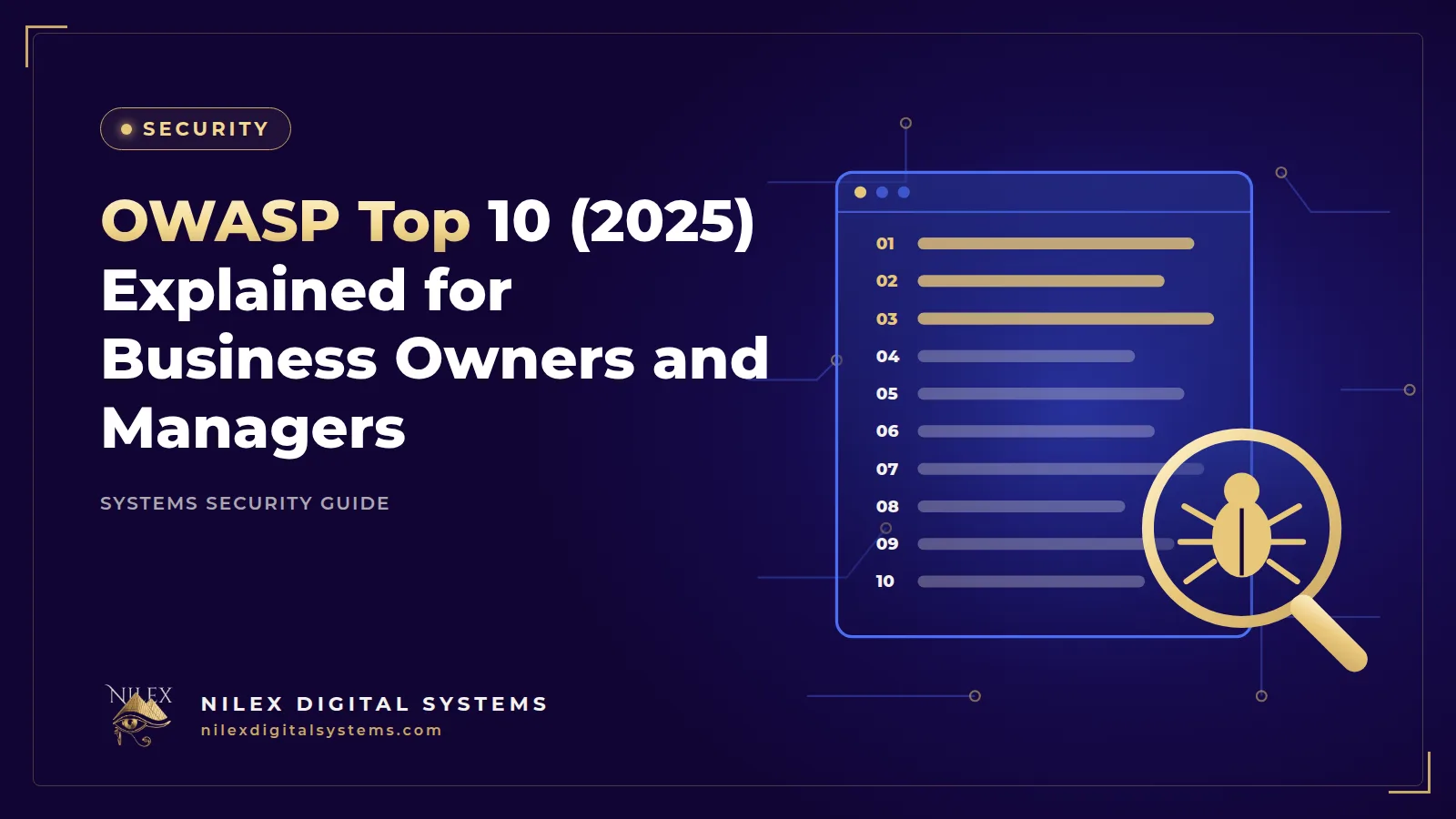
If you are paying for a website, online store, customer portal or ERP, your developer has probably mentioned "OWASP". It is the name behind the most widely used list of web application security risks, and it is the simplest way for a non-technical owner to ask the right security questions before signing off a project.
The short answer: the OWASP Top 10:2025 lists the ten most critical risks to web applications: Broken Access Control, Security Misconfiguration, Software Supply Chain Failures, Cryptographic Failures, Injection, Insecure Design, Authentication Failures, Software or Data Integrity Failures, Security Logging and Alerting Failures, and Mishandling of Exceptional Conditions. This guide explains each one in plain language, gives a realistic Egyptian example, and tells you what to ask your developer. It ends with how to use the list, and the OWASP ASVS standard, in contracts and acceptance testing.
Key takeaways
- The 2025 edition is the current OWASP Top 10 and the eighth edition of the list.
- Broken Access Control stays first; OWASP reports that 100% of the applications tested had some form of it.
- Two categories are new in 2025: Software Supply Chain Failures (A03) and Mishandling of Exceptional Conditions (A10).
- The Top 10 is an awareness list, not a test plan; for acceptance testing, use OWASP ASVS 5.0.
- You do not need to be technical: ask the questions in this guide and require written answers.
What the OWASP Top 10 is, and what changed in 2025
OWASP (the Open Worldwide Application Security Project) is a non-profit community that publishes free security guidance. Its Top 10 is an awareness document: a ranked list of the risk categories that cause the most serious problems in web applications. OWASP describes the 2025 edition as "the 8th installment of the OWASP Top Ten". The OWASP 2025 introduction says the analysis covered 2.8 million applications from 13 contributing organisations and 248 weakness types (CWEs) grouped into the ten categories.
Main changes from the 2021 edition
- A03 Software Supply Chain Failures is new. It expands the old "Vulnerable and Outdated Components" to cover compromises across dependencies, build systems and distribution.
- A10 Mishandling of Exceptional Conditions is new: improper error handling, logical errors and "failing open".
- Server-Side Request Forgery (SSRF) is now part of Broken Access Control.
- Two categories were renamed: "Authentication Failures" and "Security Logging and Alerting Failures", the second to stress that logs must trigger action.
The OWASP Top 10:2025 at a glance
| ID | Risk | In plain language | Egyptian example |
|---|---|---|---|
| A01 | Broken Access Control | Users can see or do things they should not | A buyer on a New Cairo developer's portal changes a contract number and sees another buyer's instalments |
| A02 | Security Misconfiguration | Unsafe settings and defaults | A store's admin panel open at /admin with the installer's default password |
| A03 | Software Supply Chain Failures | Weak or compromised third-party code and tools | An outdated plugin or package with a known flaw that nobody updated |
| A04 | Cryptographic Failures | Sensitive data not properly encrypted or hashed | A clinic system that keeps patient reports and national IDs readable in backups |
| A05 | Injection | Input treated as a command | A product search box that lets an attacker query the whole database |
| A06 | Insecure Design | The business logic itself is unsafe | A coupon that can be applied again and again on the same order |
| A07 | Authentication Failures | Weak login, passwords or sessions | Unlimited password attempts on the ERP login and no MFA for admins |
| A08 | Software or Data Integrity Failures | Trusting updates or data without checking them | An order marked "paid" because of a payment callback nobody verified |
| A09 | Security Logging and Alerting Failures | Attacks happen and nobody notices | Weeks of bulk customer exports discovered only by chance |
| A10 | Mishandling of Exceptional Conditions | The system behaves unsafely when something goes wrong | When the permission check times out, the system lets the request through |
A01 to A03: access, configuration and supply chain
A01 Broken Access Control
This is the top risk for a reason: the OWASP A01:2025 page reports that 100% of the applications tested had some form of it. It covers users reaching data or functions beyond their role: changing an ID in the address to open someone else's invoice, calling an admin function the screen hides, or raising privileges by tampering with a token or cookie. OWASP recommends deny-by-default, server-side checks and record-ownership checks.
Ask your developer: "Is every request checked on the server for both role and record ownership? Show me a test where one customer tries to open another customer's order." Our guide to user permissions and audit logs covers the business side.
A02 Security Misconfiguration
The software may be fine, but it is deployed unsafely: default accounts left active, debug mode on in production, error pages that show database details, cloud storage folders open to the public, or missing security headers.
Ask: "Is there a hardening checklist for production, and who signs it? Are security headers set, for example with Helmet?"
A03 Software Supply Chain Failures
Modern systems are built from hundreds of open-source packages, plugins and build tools. If one is vulnerable or has been tampered with, your system inherits the problem. This is common with abandoned website plugins and with projects whose libraries have not been updated since launch.
Ask: "Can you give me a list of the components we depend on? How often are they checked and updated, and who is responsible after launch?"
A04 and A05: protecting data and handling input
A04 Cryptographic Failures
Sensitive data travels or is stored without adequate protection: pages served without HTTPS, passwords stored in readable form or with weak hashing, national ID numbers or medical data kept unencrypted in database backups, or encryption keys stored in the code.
Ask: "Which data is encrypted at rest and in transit? How are passwords hashed? Where are the keys kept?" Our article on MFA, passwords and passkeys explains safe password storage.
A05 Injection
Injection happens when text typed by a user, such as a search term or a form field, is treated as part of a database query or system command. A classic case is a search box that builds a query by gluing text together, letting an attacker read or change data.
Ask: "Are all database queries parameterised or built through an ORM? Is every input validated against a schema, for example with Zod, before it reaches the business logic?"
A06 and A07: design and authentication
A06 Insecure Design
Some flaws cannot be fixed with a patch because the process was designed without thinking about abuse: an OTP screen with unlimited attempts, a coupon that stacks, a refund that does not check the original payment, or a delivery-fee rule a customer can bypass.
Ask: "Did you list how each important flow could be abused, such as checkout, refunds, discounts and password reset, and what prevents it?"
A07 Authentication Failures
Weak login and session handling: no limit on password guesses, no MFA for administrators, sessions that never expire, or password reset links that can be reused.
Ask: "Is there rate limiting on login and reset? Is MFA available for admins? How long do sessions last, and are they invalidated on logout and password change?"
A08 to A10: integrity, logging and errors
A08 Software or Data Integrity Failures
The system trusts code or data without checking it has not been altered. For an Egyptian online store, the most practical example is the payment confirmation: if the store marks an order as paid because it received a callback, without verifying it with the payment gateway, a forged request can create "paid" orders. The same category covers unsigned updates and unsafe build pipelines.
Ask: "How do we verify that a payment notification really came from the gateway? Who can change the deployment pipeline?"
A09 Security Logging and Alerting Failures
Without useful logs and alerts, an attack can continue for weeks. OWASP renamed this category to stress alerting: a log that nobody is told about does not stop anything.
Ask: "Which events are logged, such as logins, failed access, exports and permission changes? Who receives alerts, and how long are logs kept?"
A10 Mishandling of Exceptional Conditions
New in 2025, this covers what happens when things go wrong: a database timeout, a payment gateway that does not answer, an unexpected input. Unsafe behaviour includes "failing open" (allowing access when a check fails), leaving a transaction half-done, or showing technical error details to users.
Ask: "What happens if the permission check, the payment gateway or the database fails in the middle of a request? Do errors show generic messages to users while details go to the logs?"
Why this matters in 2026
The Verizon 2026 Data Breach Investigations Report found that exploitation of vulnerabilities was the top way attackers got in, at 31% of breaches, ahead of stolen credentials for the first time in 19 years. It also reported that only 26% of critical vulnerabilities were fully remediated in 2025, and that third parties were involved in 48% of breaches. In plain terms: known flaws stay open too long, and suppliers are part of your risk.
In Egypt there is a legal angle too. Personal Data Protection Law 151/2020 requires technical and organisational measures to protect personal data, and its Executive Regulations' grace period ends on 1 November 2026. Our pre-launch website security checklist turns these risks into twelve concrete checks.
Using OWASP in contracts and acceptance testing
The Top 10 tells you what to worry about. To verify that a system is actually protected, OWASP publishes the Application Security Verification Standard (ASVS). According to the OWASP ASVS project, the latest stable version is 5.0.0, released in May 2025, and it provides "an open application security standard for web apps and web services of all types". It organises detailed, testable requirements into three levels of increasing rigour.
Clauses to put in a software contract
- The system will be developed to address the OWASP Top 10:2025 risks and verified against an agreed ASVS 5.0 level.
- Before acceptance, the supplier provides a security test summary, and critical and high findings are fixed and retested at the supplier's cost.
- The supplier provides a list of third-party components and commits to security updates for an agreed period after launch.
- No default accounts, test data or secrets remain in production.
- Logging covers logins, failed access, data exports and permission changes, and the client has access to the logs.
- The client may commission an independent penetration test, and the supplier cooperates with the fixes.
A simple acceptance checklist
| Check | Evidence to request |
|---|---|
| Access control tested per role and per record | Test cases and results |
| Production configuration hardened | Signed checklist |
| Dependencies scanned and updated | Scan report and component list |
| Passwords hashed, data encrypted in transit | Written description |
| Inputs validated, queries parameterised | Code review note |
| Abuse cases for checkout, refunds, OTP considered | Short design note |
| Payment callbacks verified | Test result |
| Security logs and alerts working | Demo of an alert |
| Safe error handling | Test of failure scenarios |
For systems holding payments, health data or large customer lists, add an independent test; our guide to penetration testing and vulnerability assessment explains what to ask for. And if your system exposes APIs to a mobile app, read API security for mobile apps and integrations.
How Nilex helps
Nilex builds with these risks in mind: Express.js back ends with server-side permission checks, Zod schema validation on every request, Helmet security headers, parameterised queries and structured logging. Every business website and system we deliver can come with a written summary mapped to the OWASP Top 10, and we can review an existing system the same way.
Frequently asked questions
What is the OWASP Top 10 in simple terms?
It is a free list, published by the OWASP community, of the ten most critical categories of security risk in web applications. The current edition is from 2025 and is led by Broken Access Control.
What is new in the OWASP Top 10 2025?
Two new categories, Software Supply Chain Failures (A03) and Mishandling of Exceptional Conditions (A10). SSRF was merged into Broken Access Control, and two categories were renamed to Authentication Failures and Security Logging and Alerting Failures.
Is the OWASP Top 10 a certification or a law?
No. It is an awareness document, not a certification, and it is not an Egyptian legal requirement. It is widely used as a reference in contracts and security reviews, while ASVS provides the detailed requirements to test against.
Does the OWASP Top 10 apply to WordPress sites and online stores?
Yes. It applies to any web application, including WordPress sites, SaaS stores and custom systems. Supply chain risks such as outdated plugins and misconfiguration are especially relevant for off-the-shelf platforms.
How do I check whether my website is protected against the OWASP Top 10?
Ask your developer for written answers to the questions in this guide, then commission a security test against an agreed ASVS level. Fix critical and high findings and retest before going live.
Want a plain-language review of your website or system against the OWASP Top 10:2025? Request a free consultation through our contact page.
 Cybersecurity for Egyptian SMEs: A Practical 90-Day Plan26 September 2026 · 10 min
 Ransomware Protection for Egyptian Companies: Prevent, Contain and Recover26 September 2026 · 9 min
 Phishing and Fake Payment Requests: Protecting Egyptian Businesses from Email and WhatsApp Scams26 September 2026 · 10 min