
Managing Several Car Protection Branches: KPIs, Finance, Stock and Technician Pay
How owners of several PPF, ceramic and tint branches compare them on the same KPIs, organise finance and approvals, move film between branches and pay technicians from recorded work.
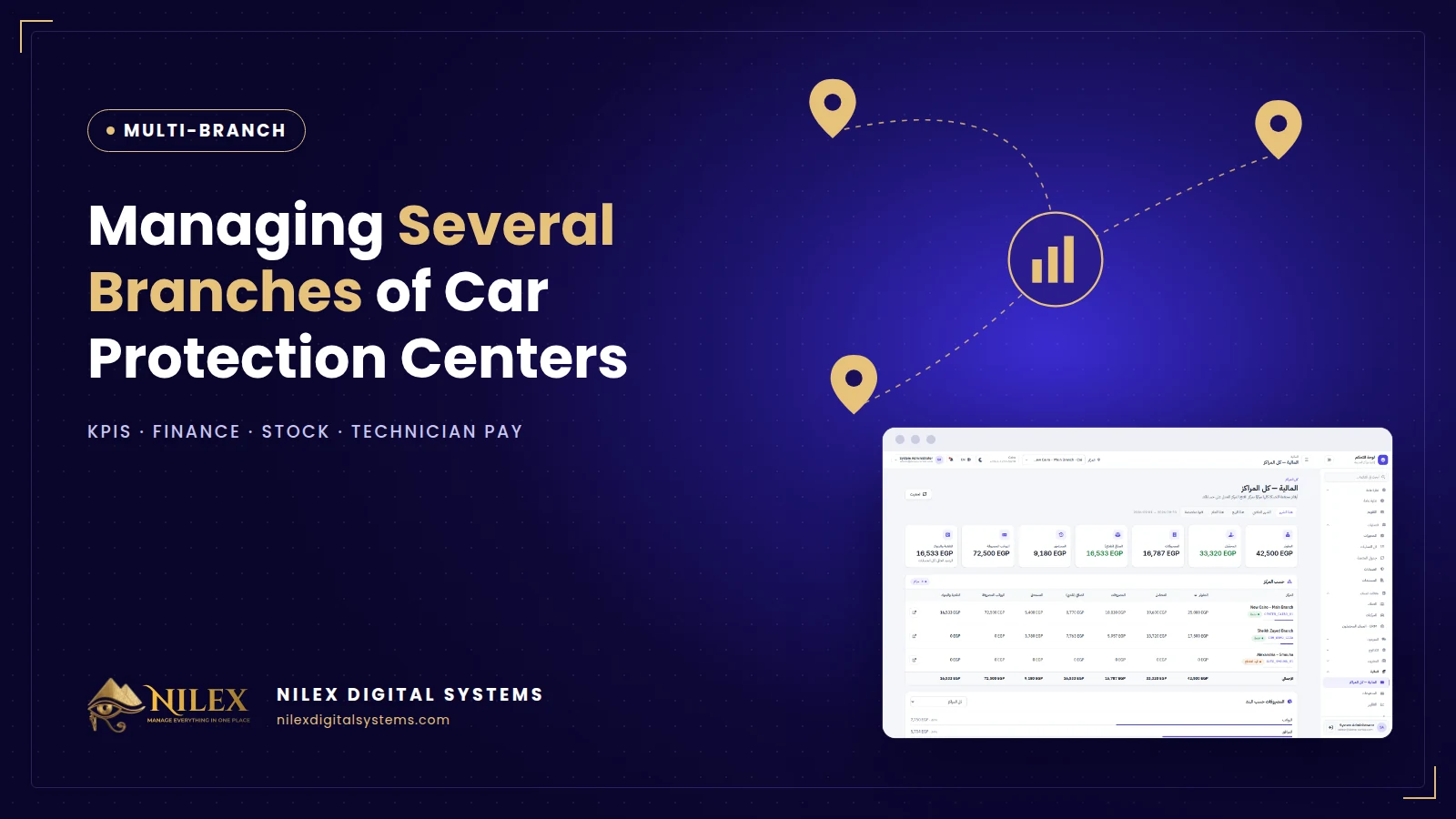
Managing several car protection branches well comes down to seeing every branch on the same numbers, every day: revenue, expenses, net profit, cars in the shop, pending bookings, stock and staff. When each branch keeps its own notebook and Excel file, the owner learns the truth at the end of the month, usually too late to fix it.
A second branch in New Cairo, Sheikh Zayed or Alexandria doubles more than revenue. It doubles the number of people handling cash, the film on shelves, the technicians to pay and the customers to follow up. This guide covers the numbers to watch, how to organise finance, stock and payroll across branches, and what to expect from a system that runs a network.
Key takeaways
- Compare branches on the same KPIs for the same period; different spreadsheets hide problems.
- Give branch managers their own branch and the owner the whole network.
- Approve expenses before they are paid, and keep cash, bank and wallet balances per branch.
- Move film between branches with recorded transfers instead of urgent purchases.
- Pay technicians from recorded work: attendance, overtime, advances, deductions and commissions per job.
The KPIs an owner should see for every branch
| KPI | Why it matters | Warning sign |
|---|---|---|
| Revenue collected | Cash actually received, not just invoiced | Invoiced grows, collected does not |
| Expenses (approved) | What the branch costs to run | Many small unapproved expenses |
| Net profit and margin | Whether the branch pays for itself | Revenue up, margin down |
| Outstanding balances | Money customers still owe | Old unpaid balances |
| Cars in the shop | Capacity and bottlenecks | Cars staying longer than planned |
| Pending bookings | Demand in the next days | Bookings not confirmed |
| Low-stock items | Risk of stopping work | Same film always low |
| Active staff | Cost and capacity | More staff, same number of cars |
The point is not the numbers alone but the comparison. If one branch has similar revenue but much higher expenses, or collects much less of what it invoices, the difference is where to look.
Who sees what
In a network, access should follow responsibility. The owner and the finance manager see all branches. A branch manager sees and manages his own branch: cars, bookings, stock, expenses and staff. Reception sees bookings and check-ins. Technicians see the jobs assigned to them. Clear roles protect customer data and make each manager accountable for his branch. Our article on permissions and audit logs explains the principles.
Finance across branches
- One invoice rule for all branches. Same services, same way of pricing, same discount approvals.
- Expenses with approval. A branch records the expense; the manager approves it before it is paid. Unapproved expenses stay visible as pending.
- Cash, bank and wallet accounts per branch. Each branch's treasury shows income, outgoing payments and the current balance, so a cash shortfall appears the same day.
- Network finance. The owner sees invoiced, collected, expenses, net, outstanding, salaries paid and cash per branch and in total.
- Ready reports. Monthly operations, salaries and a comprehensive financial report in Arabic or English, for the accountant and for partners.
Stock across branches
Each branch keeps its own film and consumables, counted by the meter and by the unit. When one branch is low and another has spare rolls, a transfer moves them: shipped from one, received in the other, both updated. Purchasing can then be planned for the network instead of each branch buying in a hurry. Our guide to film stock by the meter covers the details.
Technicians, attendance and commissions
Installers are the core of a protection center, and a common reason for disputes inside the team is pay. When the work order records who worked on each car, commissions can be calculated from real jobs. Add attendance, overtime, advances and deductions, and monthly payroll becomes a report instead of an argument. For the legal side, read our guide to Labour Law 14 of 2025 and HR systems.
Bookings and sales across the network
Inquiries arrive through one WhatsApp number, one website and several social accounts. A shared CRM assigns each lead to a branch, keeps the quote and the next follow-up, and shows the pipeline value per branch. A shared calendar prevents one branch from being overbooked while another has free bays.
Opening a new branch
- Create the branch with its manager, address and status (opening, active, under maintenance).
- Copy the service list and prices, then adjust what differs.
- Transfer the starting stock from an existing branch and record it.
- Add the staff, their roles and salaries.
- Compare the new branch's KPIs with the others from the first week.
How Nilex helps
The car protection film centers management system from Nilex gives the owner one dashboard comparing every branch for any period, network finance, branch roles, expenses with approval, treasury per branch, stock transfers between branches, payroll with commissions, and a shared CRM and calendar. The multi-branch video on the system page shows it in under a minute. Start with our overview of car protection center management software.
Frequently asked questions
When do I need a multi-branch system?
As soon as you open a second branch, or plan to. Setting up the structure before the branch opens is much easier than merging two sets of notebooks later.
Can each branch have its own prices?
Yes. Many networks keep one service list and adjust prices per location. What matters is that discounts and changes follow the same approval rules.
Can a branch manager see other branches?
Only if you allow it. The usual setup is that a manager sees his branch and the owner sees all of them.
Can our external accountant use it?
Give the accountant read access to finance and reports, or export the monthly reports as PDF.
If you run more than one center, or plan to, talk to Nilex about setting up your network the right way from the start.
 Car Protection Center Management Software: 10 Features a PPF, Ceramic and Tint Center Needs30 September 2026 · 7 min
 Film Stock by the Meter: How PPF and Tint Centers Stop Losing Money on Film30 September 2026 · 6 min
 Car Check-In Reports and Digital Warranties: How Protection Centers Avoid Disputes30 September 2026 · 5 min