
Grocery Delivery Zones and Time Slots: Fees, Minimums, Free Delivery and Slot Capacity
How a supermarket sets up home delivery that pays: delivery areas with their own fee, minimum order and free-delivery threshold, plus bookable time slots with a capacity that close when full.
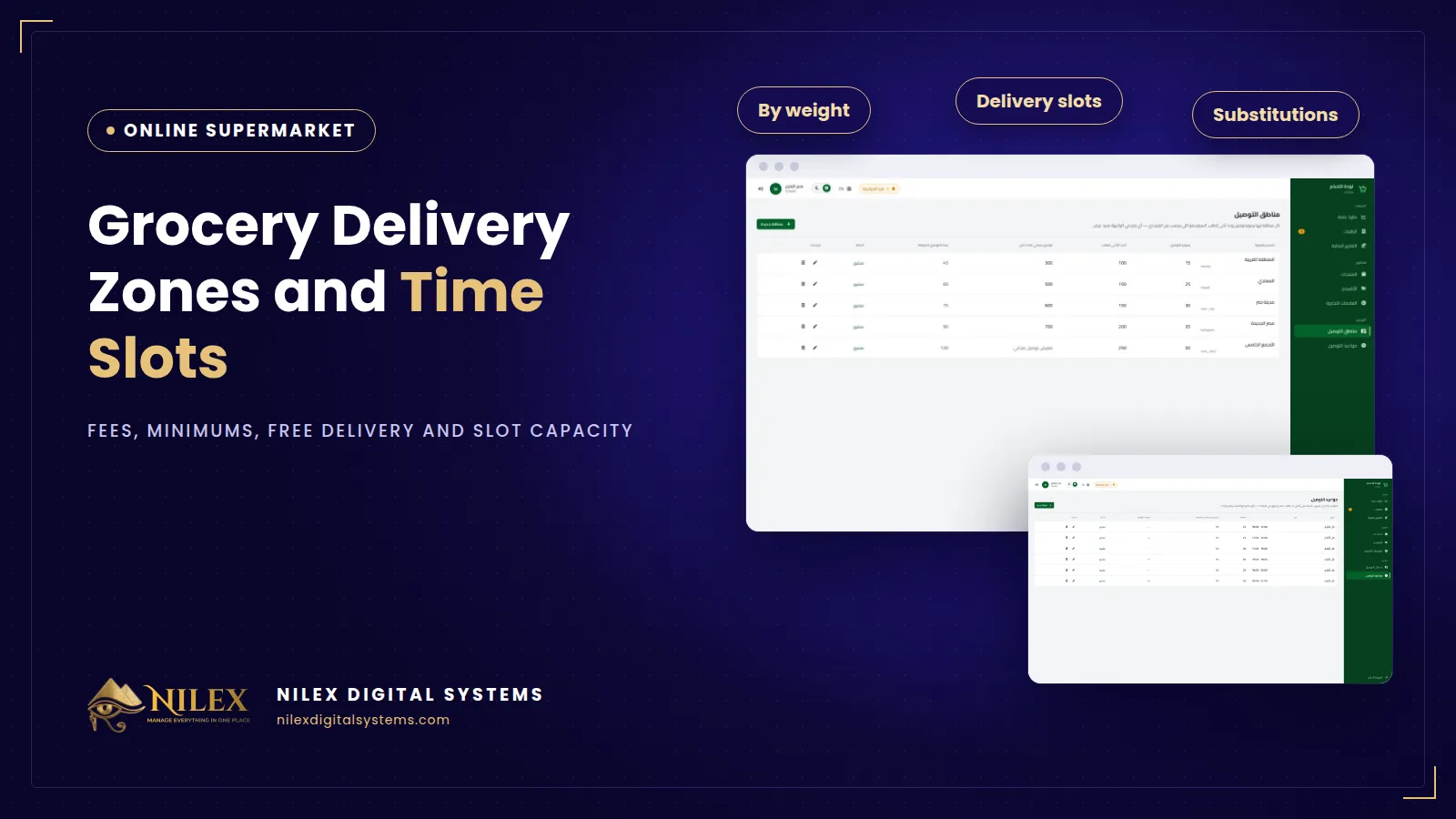
Grocery delivery works best when it is set by area and by time: each delivery area has its own fee, minimum order and free-delivery threshold, and customers book a day and a time slot that has a fixed capacity and closes by itself when it is full. These two settings decide whether online orders make money for a supermarket or turn into long, half-empty trips that arrive late.
Many supermarkets start with one flat delivery fee and "we deliver as soon as possible". It sounds simple, but a small order to a far area costs more than it earns, and on busy evenings everyone wants their order at the same hour. The result is late deliveries, angry calls and drivers working without a plan.
Key takeaways
- Set delivery rules per area, not one rule for the whole city.
- Each area needs three numbers: a delivery fee, a minimum order and a free-delivery threshold.
- Show the customer, inside the basket, how much is left to reach the minimum and free delivery.
- Let customers book a day and a time slot, and give every slot a capacity your team can really handle.
- A slot should close automatically when it is full, so you never promise more than you can deliver.
Why delivery should be set by area
A supermarket's delivery cost depends mostly on distance and traffic. An order to the next street and an order to a district twenty minutes away cost very different amounts to deliver. With one flat fee, the near customers pay too much and the far ones too little. Setting rules per area fixes this and lets you serve far areas without losing money on every trip.
The three numbers for every area
Delivery fee
What the customer pays for delivery to that area when the order is below the free-delivery threshold. Near areas can have a low fee or none; far areas a higher one.
Minimum order
The smallest basket you accept for that area. It stops a single bottle of water from being sent across the city. Far areas usually have a higher minimum.
Free-delivery threshold
Above this basket value, delivery is free. It encourages customers to add a few more items, which raises the average order value, and it rewards your regular weekly shoppers.
| Area (illustrative example) | Delivery fee | Minimum order | Free delivery above |
|---|---|---|---|
| Area A: same neighbourhood | Low | Low | Moderate |
| Area B: nearby districts | Medium | Medium | Higher |
| Area C: far districts | Higher | Higher | Highest |
Start with your real costs: a driver's time per trip, fuel or the courier's charge, and how many orders a driver can combine in one route. Review the numbers after the first month using your order reports.
Show the rules inside the basket
Customers should not discover the minimum order at checkout. While they shop, the basket should show how much is left to reach the minimum for their area and how much is left for free delivery. This small message answers questions before they are asked, and it is one of the simplest ways to raise basket size. Our list of conversion fixes for Egyptian online stores explains why surprises at checkout lose orders.
Time slots with capacity
Grocery customers plan around their day: after work, before guests arrive, Friday morning. Letting them book a day and a time slot turns "when will it arrive?" into a promise you can keep.
- Slot length. Two-hour or three-hour windows are easier to keep than exact times.
- Capacity per slot. The number of orders your pickers and drivers can complete in that window. Count real people, not hopes.
- Automatic closing. When a slot reaches its capacity, it closes and customers choose the next one. You never overbook the evening rush.
- Different days, different capacity. Thursday evening may need more capacity than Sunday morning, if you have the staff.
Your own drivers or a courier?
Most supermarkets deliver with their own drivers or motorcycles, because grocery orders are local and time-sensitive. If you also ship packed goods farther away, a courier can help; our guide on integrating a store with couriers explains how that works. Keep in mind that a courier integration is a separate piece of work and is not part of a standard grocery store.
Delivery setup checklist
- List your delivery areas by name, the way customers know them.
- For each area, set the fee, the minimum order and the free-delivery threshold.
- Decide your slot times for each day of the week.
- Set a capacity per slot based on the pickers and drivers you actually have.
- Write a short delivery policy: areas, times, fees, and what happens if the customer is not home.
- Review fees, minimums and capacity monthly using your reports.
How Nilex helps
In the online supermarket and grocery delivery system from Nilex, each delivery area has its own fee, minimum order and free-delivery threshold, managed from the admin panel. The basket shows how much is left for free delivery and the minimum order, and at checkout the customer picks the area and books a day and a time slot. Each slot has a capacity and closes by itself when full. Reports show revenue, orders, average order value and orders by status, so you can tune your numbers. Start with what an online supermarket must have, then see the plans on the system page or contact us.
Frequently asked questions
Can I start with one fee for all areas?
You can set the same numbers for every area at first, then adjust them as you learn your real costs. Keeping the areas separate from the start makes that easy.
What happens when a slot is full?
It closes automatically, and the customer chooses another slot or another day.
Can customers order for the same day?
That depends on the slots you open for each day. Customers can only book slots that you have set up and that still have capacity.
Does the system track drivers on a map?
No. The system manages areas, slots and order stages such as "out for delivery" and "delivered". Live map tracking is not part of it.
 Starting Online Orders for Your Supermarket: A Practical Launch Plan, Decision by Decision11 October 2026 · 9 min
 Online Legal Bookshop Case Study: How Dar El Ahram Sells 800+ Legal Titles Online11 October 2026 · 11 min
 Selling Online From Egypt to Other Countries: Shipping Prices per Country, Local Zones and Card Payment11 October 2026 · 8 min