
The Online Store Back Office: Orders, Editing Items, PDF Invoices, Stock, Reports and Staff Roles
What the back office of an online store should let you do every day: follow orders from checkout to delivery, edit items, issue PDF invoices, keep stock right, read reports and give each staff member the right role.
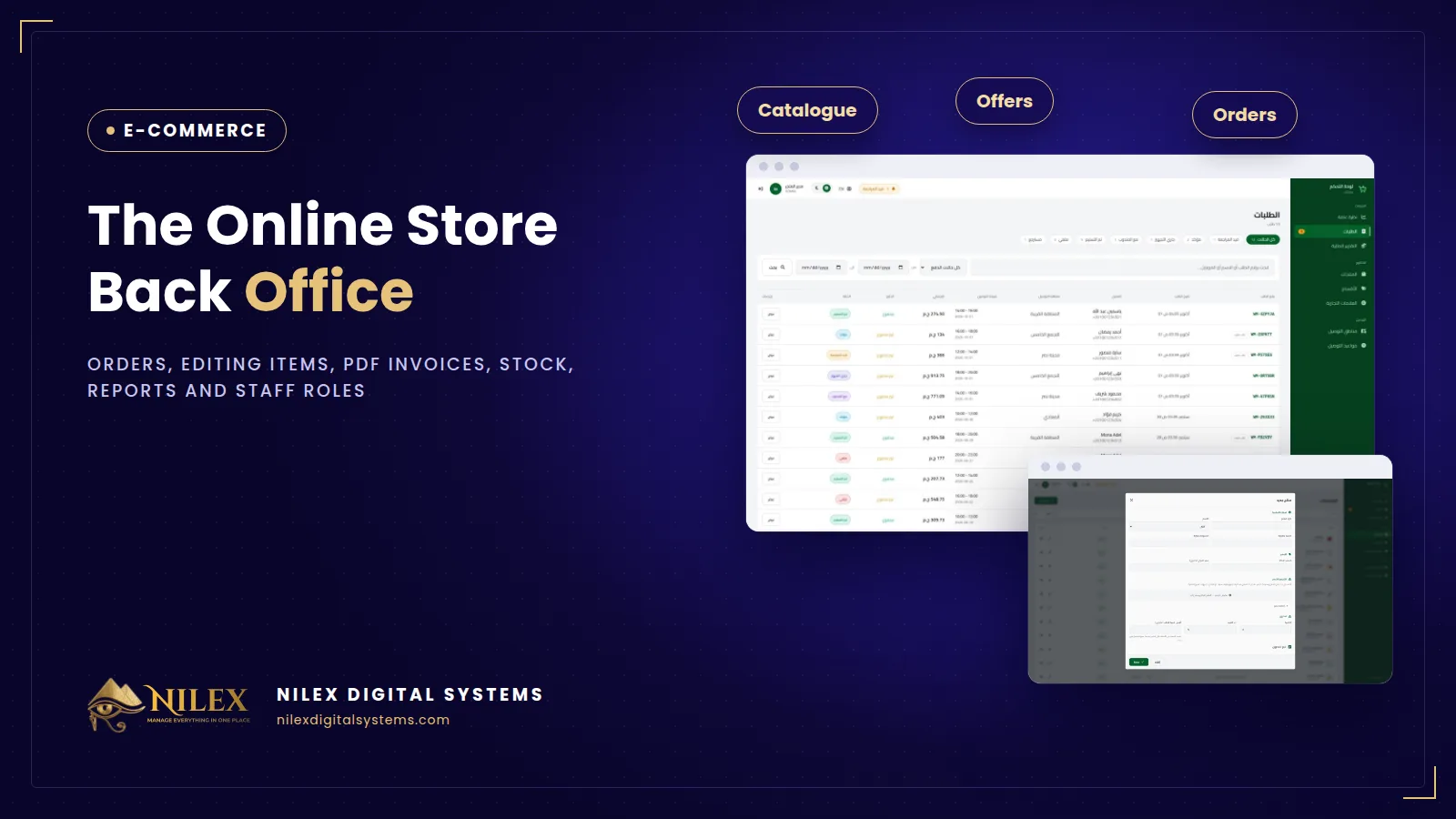
The back office is where an online store is actually run. Customers see the storefront; you and your team spend the day in the dashboard confirming orders, fixing them when a customer calls, issuing invoices, keeping stock right and checking what sold. A good back office lets you follow each order from checkout to delivery, edit its items without breaking the totals, send a PDF invoice, update stock once, read simple reports and give every staff member only the access they need.
This guide walks through those daily jobs, what to look for in each, and the mistakes that cost stores money and time.
Key takeaways
- Every order needs a clear status from checkout to delivery, and every change should be visible to the whole team.
- Editing an order's items must recalculate the total and update stock, or invoices and stock drift apart.
- A PDF invoice should be generated from the order itself, not typed again by hand.
- Stock is tracked per product and per variant, and changed in one place for the storefront and the dashboard.
- Owner and staff need different roles; shared logins make it impossible to know who changed what.
Orders: from checkout to delivery
Each order should move through a small set of statuses that match how you work, for example: new, confirmed, preparing, with the courier, delivered, cancelled or returned. What matters:
- One list, filterable by status, date and governorate, so the morning starts with "what needs confirming" and "what is still with the courier".
- The full order on one screen: customer, phone, address, items, delivery fee, payment method and any notes.
- The customer's history next to the order. A customer with five delivered orders and one with three refused deliveries should not be treated the same way.
- Notifications by email to the customer when the order is placed and when its status changes.
Some orders carry more than a product. At Anas Saleh Coffee, customers can design a custom blend and the roastery receives the full recipe with the order, so the person preparing it does not need to call the customer to ask.
Editing items after the order
In Egypt, many orders change after checkout: the customer calls to swap a colour, add a second item or drop one, often while confirming a cash-on-delivery order. If your team cannot edit the order in the dashboard, they cancel and re-enter it, or worse, change it on paper. Editing should:
- Change, add or remove items on the existing order.
- Recalculate the total, including the delivery fee and any discount.
- Return the removed items to stock and deduct the new ones.
- Keep a note of who changed what, so the invoice and the courier's amount match.
Bashayer El Khair Home Appliances moved from orders and invoices written manually to orders with editable items in its dashboard, with PDF invoices sent by email.
PDF invoices
The invoice should be produced from the order, with your logo, the order number, the items, prices, delivery fee, discount and total, and be ready to print for the parcel or send to the customer by email. Typing invoices separately is where totals stop matching orders.
Note that a PDF invoice from your store is a commercial document for the customer; it is not, by itself, a submission to Egypt's electronic invoice or e-receipt systems. If your business is required to issue those, read our guide to online sellers, tax and e-receipts in Egypt and plan it separately.
Stock: one number, changed once
Stock problems usually come from keeping it in two places: the dashboard and a spreadsheet, or the store and the shop counter. Rules that keep it right:
- Track stock per product and per variant, so "the red one, size L" is not sold when only "the blue one" is left.
- Let orders deduct stock automatically, and returns and cancellations put it back.
- Edit prices and stock once in the dashboard, and let the storefront follow. Bashayer El Khair's team, for example, now updates prices in one place instead of across social media posts.
- Hide or mark products as unavailable when stock reaches zero instead of taking orders you cannot ship.
Reports the owner actually reads
You do not need dozens of reports. You need a few that answer the owner's daily questions:
| Question | Report | Look at it |
|---|---|---|
| How much did we sell? | Sales and orders by day, week and month | Daily |
| What is still with the courier? | Orders by status | Daily |
| What sells and what does not? | Best and slowest products | Weekly |
| What will run out soon? | Low stock list | Weekly |
| Did the offer pay? | Orders and value during the offer vs before | After each offer |
The cash collected by couriers on cash-on-delivery orders should be reconciled against delivered orders; our guide to courier integration and COD collection covers that side.
Staff roles: who can do what
A typical small store has three kinds of user. An illustrative split:
- Owner: everything, including prices, reports, finances and users.
- Order team: confirm, edit and update orders, print invoices; no access to finances or to other users.
- Catalogue team: add and edit products, photos, categories and offers; no access to customers' personal data beyond what the job needs.
Give everyone their own login. When an order is cancelled or a price changes, you should be able to see who did it. Bashayer El Khair's dashboard, for example, has user roles for the owner and staff.
A simple daily routine
- Morning: confirm new orders, edit any changes customers asked for, print invoices.
- Midday: hand orders to the courier and update their status.
- Afternoon: follow delivered and refused orders, put returns back into stock.
- End of day: check sales, low stock and anything still pending.
Offers make this busier; our guide to timed offers and bundles explains how to set them up so they run themselves.
How Nilex helps
Every online store Nilex builds comes with an order dashboard where you follow orders from checkout to delivery, print invoices with PDF export, see each customer's full order history and manage stock, with a mailing system for customer emails; product variants with stock per variant are part of the Business package. Features such as editable order items, financial reports and separate roles for owner and staff were built for Bashayer El Khair and can be built into your store. Setting up the team's accounts is part of our launch checklist. Talk to us about how your team handles orders today.
Frequently asked questions
Can the same stock serve my shop and my online store?
Only if both deduct from the same number. If the shop sells from a separate system, you need either a connection between the two or a daily routine to update the store, or you will sell items you no longer have.
What if the customer changes the order after the invoice is printed?
Edit the order in the dashboard and print the invoice again, so the parcel, the courier's amount and your records all carry the new total.
Can my team manage orders from a phone?
A dashboard built for the web works in a phone browser for quick jobs such as confirming an order. Long tasks, like uploading a catalogue, are easier on a computer.
When do I need an ERP instead of the store dashboard?
When you manage several warehouses, wholesale customers on credit, purchasing from suppliers or accounting in one system. A store can then be connected to an ERP rather than replacing it.
 Starting Online Orders for Your Supermarket: A Practical Launch Plan, Decision by Decision11 October 2026 · 9 min
 Online Legal Bookshop Case Study: How Dar El Ahram Sells 800+ Legal Titles Online11 October 2026 · 11 min
 Selling Online From Egypt to Other Countries: Shipping Prices per Country, Local Zones and Card Payment11 October 2026 · 8 min