
Home Appliances Online Store Case Study: 400+ Products and 38 Brands With Prices That Stay Correct
How we moved Bashayer El Khair from social media posts with outdated prices to its own store: 400+ products with model codes, 23 categories, 38 brand pages, bridal packages, timed offers and bundles, PDF invoices by email and roles for owner and staff.
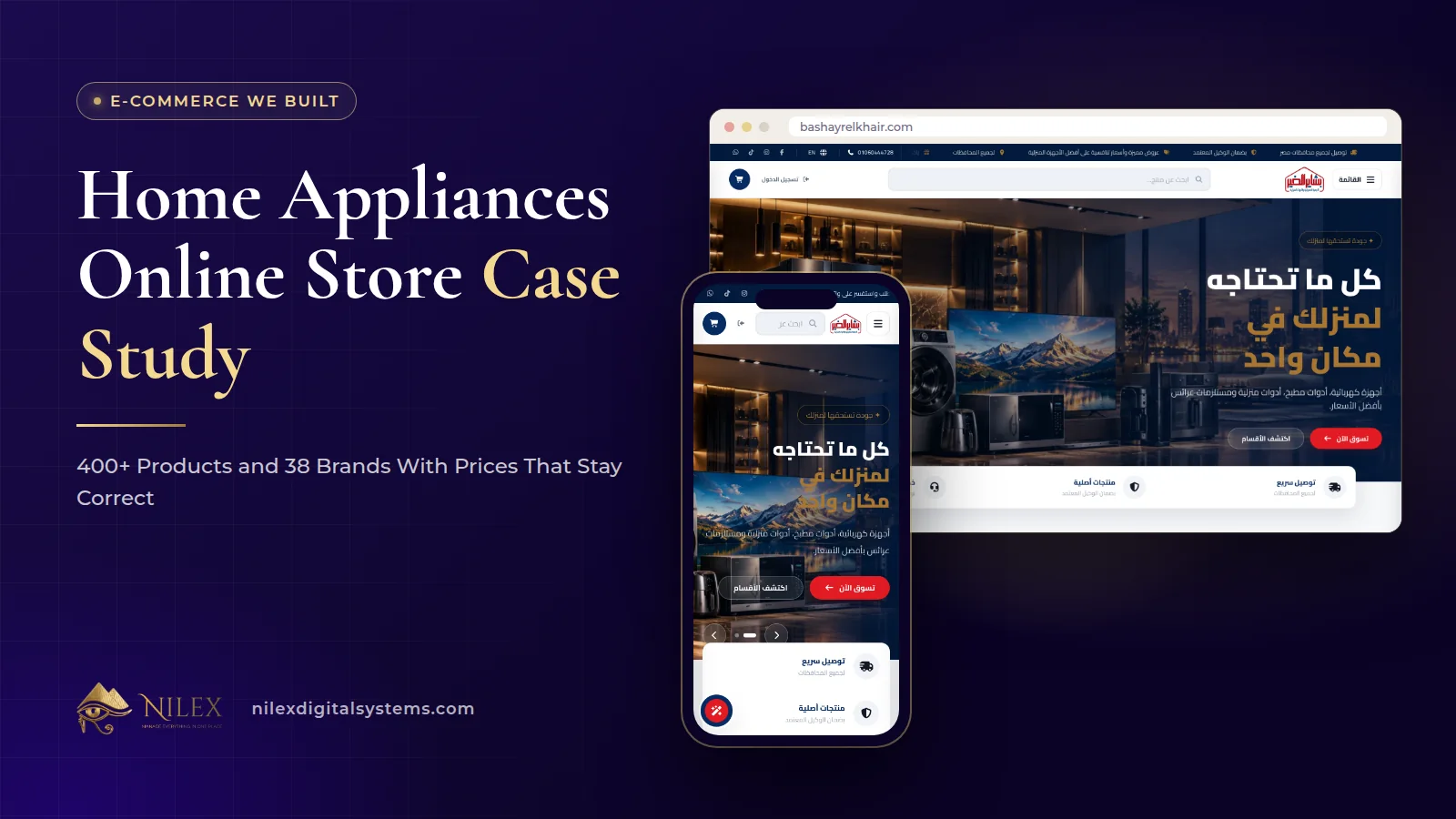
Bashayer El Khair sells home appliances, kitchen and household tools and bridal packages. Its catalogue of hundreds of models used to live in social media posts, where prices went out of date and customers had to message to ask about each model. We built it an Arabic and English online store with more than 400 products, each with its model code, price and availability, organised into 23 categories and 38 brand pages, with timed offers and bundles, cash on delivery with a fee per governorate, PDF invoices sent by email, and a dashboard where a price is changed once and changes everywhere.
This case study follows the project from the problem to launch in September 2026. The AI assistant that sizes air conditioners and compares models was a later phase and is described in the AI appliance advisor case study; here we focus on the store and the back office.
Key takeaways
- The real problem was not "no website" but prices that could not be kept correct across dozens of old posts.
- Every product now carries a model code, a price and its availability, all edited from one dashboard.
- Customers can arrive by type, by brand or by need: 23 categories with sub-categories, 38 brand pages and a section for bridal packages.
- Offers and bundles have start and end times with a visible countdown, set from the dashboard rather than announced by hand.
- Orders produce a PDF invoice that can be sent to the customer by email, and owner and staff work under separate roles.
The problem: a catalogue in social media posts
For a shop with hundreds of models from dozens of brands, social media works as a shop window but fails as a catalogue. A post published in spring still shows its price in autumn. A customer who finds it messages to ask whether the price is still right, whether the model is available and how it differs from the one next to it. The team answers the same questions one customer at a time, offers are announced by hand, and orders and invoices are written manually.
The brief that came out of this was simple to state: one place where every model, price and offer is correct, and where the team changes a price once and sees it change everywhere.
Phase 1: a catalogue built around how the shop sells
We started with structure before design. Appliance shoppers look in three ways: by type ("a washing machine"), by brand ("the make I trust") and by need ("everything for a new home"). The store answers all three:
- Categories and sub-categories for appliances, kitchen and household tools, 23 categories in total.
- A page for every brand the shop carries, 38 brand pages, with brands also shown on the home page.
- A bridal section for couples furnishing a first home, because that is a need, not a product type.
- A model code on every product, alongside its price and availability, so the shop, the customer and the supplier talk about the same item.
The general method for planning this kind of tree is in our guide to categories, brands and filters. What made it work here was the model code: appliance buyers often search for the exact code they saw in a showroom, and every product page is built to be found that way.
Phase 2: the storefront, offers and checkout
The storefront is Arabic-first with a full English version. The home page combines hero slides, a category rail and category showcases, product carousels, the brands the shop carries, a scrolling announcement bar and a map to the shop. Listing pages show products with their offers alongside them, and a dedicated offers page gathers everything currently discounted.
Timed offers and bundles
Offers are created in the dashboard by choosing products, an offer image and the offer period. Bundles group several products into one package, which suits bridal and kitchen sets. Each offer has its own page with a countdown, and the same countdown appears next to offers on listing pages, so a customer sees how long a price will last. How to plan offers that protect margin and trust is covered in timed offers, bundles and countdowns.
Checkout
Checkout takes cash on delivery and adds a delivery fee for the customer's governorate before the order is confirmed. Customers can order as guests, or sign in so the order is attached to their account; a guest can find the order again with the phone number used. We explain how our stores set those fees in delivery fees per governorate.
Articles and policy pages
Appliances raise questions before the purchase, so the store has an articles section managed from the dashboard with a rich editor, images and embedded videos. Alongside it are an About page, a contact page with the shop's location, an FAQ page and four policy pages: shipping, warranty, privacy and terms. A warranty policy page is not decoration for an appliance shop; it is one of the first things a careful buyer looks for.
Phase 3: the dashboard
The back office is where the old problem was actually solved. Each area below is a screen the team uses:
| Dashboard area | What it does for the shop |
|---|---|
| Overview | Store figures with a trend chart |
| Products | Model code, price, availability, category, brand and several images per product; deactivate a product or, for admins, delete it permanently |
| Categories and brands | Create and edit categories, sub-categories and brand pages with their images |
| Articles | Write and edit articles; staff can unpublish, only admins can delete permanently |
| Hero slides | Create, edit and reorder the home-page slides |
| Offers | Create timed offers and bundles from existing products |
| Orders | List and export orders to CSV; edit contact details, items, notes, payment and status; generate the PDF invoice and email it to the customer |
| Financials | Financial reports with a trend chart |
| Users | See customers and staff with their orders, change a user's status or role |
The PDF invoice is generated from the order itself, so when an order's items are edited, the invoice follows the order rather than being retyped. Our guide to the store back office covers why editing orders and invoices from the same record matters.
Owner and staff roles
The dashboard has user roles for the owner and staff. Day-to-day work such as editing products, running offers, updating orders and unpublishing an article is open to staff, while irreversible actions such as permanently deleting a product, a category, a brand or an article are kept for admins. That split means a mistake by a busy employee can be undone.
SEO across the whole catalogue
Every product, category and brand page carries its own title, description, address and share image, with product structured data, an XML sitemap and Google Search Console connected at launch. For an appliance shop this is what turns a model-code search into a visit: a shopper looking for a specific model can land on this shop's page for it. Pages are rendered on the server, in Arabic and English.
Results at launch
| Before | After launch (September 2026) |
|---|---|
| Products and prices in social media posts | 400+ products with model codes and prices |
| Prices going out of date across old posts | Prices and stock edited once from the dashboard |
| Customers messaging to ask about every model | 23 categories, 38 brand pages and a bridal section |
| Offers announced by hand | Timed offers and bundles with a countdown |
| Orders and invoices written manually | Orders with PDF invoices sent by email |
Customers can now compare models and prices before coming to the shop, and the team updates prices in one place instead of on social media posts. With the AI assistant added later, the questions that used to arrive on WhatsApp, such as which air conditioner suits a room, are answered on the site next to an add-to-cart button.
How Nilex helps
If your catalogue lives in posts, chats and price lists, we can build you a store where each product has one correct record and its own search-ready page. Start with our e-commerce store service to see what is included and the available packages, look at the full Bashayer El Khair case study, and read our practical guide to selling home appliances online in Egypt. When you are ready, send us a short description of your catalogue: how many products, how many brands and how you sell today.
Frequently asked questions
Can the store handle more than 400 products?
Yes. The catalogue is not limited to the launch figure; products, categories and brands are added from the dashboard as the shop grows.
Why put a model code on every product?
Because appliance buyers search and compare by model. The code also lets the shop, the supplier and the customer refer to exactly the same item when confirming an order.
What happens when an offer ends?
Each offer has an end time and a countdown. The offer is managed from the dashboard, where it can also be deactivated early.
Is the PDF invoice an official e-invoice?
No. It is an invoice for the customer generated from the order itself. A connection to Egypt's e-invoicing system was not part of this store.
Can staff see everything in the dashboard?
No. Owner and staff have different roles: staff handle day-to-day work such as products, offers and orders, while permanent deletions are kept for admins.
 Starting Online Orders for Your Supermarket: A Practical Launch Plan, Decision by Decision11 October 2026 · 9 min
 Online Legal Bookshop Case Study: How Dar El Ahram Sells 800+ Legal Titles Online11 October 2026 · 11 min
 Selling Online From Egypt to Other Countries: Shipping Prices per Country, Local Zones and Card Payment11 October 2026 · 8 min