
Selling Groceries by Weight Online: Units, Quantity Steps and Actual-Weight Confirmation
How to sell fruit, vegetables, cheese and other groceries by weight online: choosing piece, weight or volume, setting quantity steps and limits, showing the price per kilo and confirming actual weight at picking.
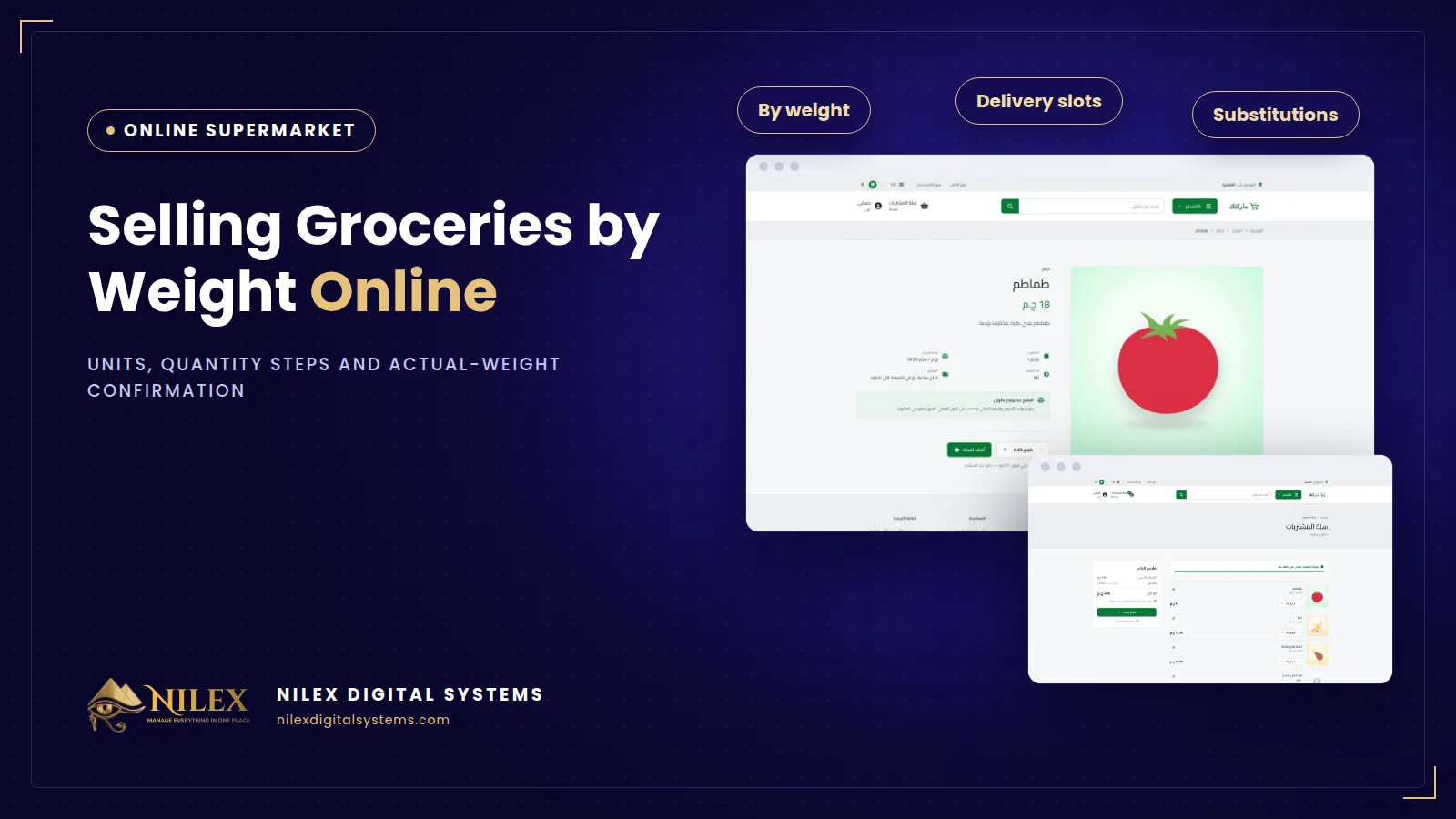
Selling groceries by weight online means every product is set up with the unit it is really sold in (piece, weight or volume), a quantity step such as a quarter kilo, a maximum per order, and a clear price per kilo, litre or unit. Because a picker never cuts exactly 1.000 kg of cheese, weighed items are then confirmed at the actual weight when the order is picked, so the order matches what was really put in the bag.
This is the part of an online supermarket that general store templates handle worst. They were built for T-shirts and phones, where one item is always one item. Fruit, vegetables, cheese, olives, meat and loose nuts do not work that way, and they are often the products that bring customers back every week.
Key takeaways
- Choose one sale unit per product: piece, weight or volume. Do not mix them on the same product.
- A quantity step (for example 0.25 kg) stops orders for 0.137 kg and keeps picking practical.
- A maximum per order protects stock on offer items and stops one basket from emptying a shelf.
- Show the price per kilo, litre or unit on every product, so customers can compare sizes and brands.
- Confirm weighed items at the actual weight during picking, and tell the customer in advance that this happens.
Piece, weight or volume: which unit for which product?
The rule is simple: sell it online the way you sell it at the counter.
| Product type | Sale unit | Typical quantity step (illustrative example) | Price shown |
|---|---|---|---|
| Tomatoes, potatoes, onions | Weight | 0.5 kg | Per kilo |
| White cheese, olives, halawa from the counter | Weight | 0.25 kg | Per kilo |
| Packed rice, pasta, sugar | Piece | 1 pack | Per pack, with net content |
| Loose milk or juice by the litre | Volume | 0.5 litre | Per litre |
| Bread, eggs by the tray, canned goods | Piece | 1 piece | Per unit |
Packed products are usually sold by the piece, even if the pack says "1 kg", because the weight is fixed by the factory. Show the net content on the product, so a customer comparing a 900 g pack with a 1 kg pack knows what they are buying.
Why the quantity step matters
Without a step, a customer can type any number, and the picker receives orders that cannot be weighed sensibly. With a step, the plus and minus buttons move by a fixed amount: 0.25, 0.5, 0.75, 1 kg. This has three effects:
- Clearer orders. The picker sees "1.5 kg tomatoes", not "1.37 kg".
- Faster picking. Standard amounts are easier to weigh and pack.
- Fewer calls. Customers do not need to ask "can I order half a kilo?" because the button already says so.
The step can differ per product. Cheese might move by a quarter kilo, potatoes by half a kilo, and watermelon might be sold by the piece.
Maximum per order
A limit per order is useful in two situations: a strong weekly offer that you want many customers to benefit from, and an item with limited stock that day. Set the maximum on the product, and the basket will not let the customer go above it.
Showing the price per kilo, litre or unit
Grocery customers compare. A clear price per kilo or litre on every product page and in every list helps them decide quickly and trust the store. It is also part of being transparent about price, which matters to customers and is covered in our guide on what online stores must show under Egypt's Consumer Protection Law.
Confirming the actual weight at picking
A customer orders 1 kg of white cheese. The picker cuts a piece, and the scale shows 1.08 kg. What now? The practical approach is:
- The customer orders by the quantity step, and sees the estimated amount in the basket.
- During picking, the actual weight of each weighed item is confirmed on the order.
- The order reflects what was really weighed, and the customer pays for that at delivery.
Tell customers this clearly on weighed products and at checkout: "weighed items are confirmed at their actual weight when your order is prepared". Customers who understand it in advance accept small differences; customers who discover it at the door feel cheated. This matters most with cash on delivery, where an unexpected total is a common reason for refused orders, as we explain in reducing COD returns.
Setup checklist for weighed products
- Every product has one sale unit: piece, weight or volume.
- Every weighed or volume product has a sensible quantity step.
- Offer items and limited items have a maximum per order.
- Packed products show their net content.
- The price per kilo, litre or unit is visible everywhere the product appears.
- The note about actual weight appears on weighed products and at checkout.
- Pickers know how to confirm the actual weight on the order before it moves to delivery.
How Nilex helps
In the online supermarket and grocery delivery system from Nilex, each product is sold by piece, weight or volume with its own quantity step and maximum per order, the price per kilo, litre or unit is shown on every product, and weighed items are confirmed at the actual weight when the order is picked. Products also carry a barcode, brand, unit, net content and storage type. For the bigger picture, read what an online supermarket must have, and for what happens when an item runs out, see substitutions and order picking. See the plans on the system page, or talk to us about your product list.
Frequently asked questions
Do packed products need weight confirmation?
Normally no. Packed goods are sold by the piece because their weight is fixed by the factory, and the net content is shown on the product. Actual-weight confirmation is for items weighed during picking, such as vegetables, cheese and meat.
Can some fruit be sold by the piece?
Yes. Each product has its own unit. Watermelon or pineapple can be sold by the piece while tomatoes are sold by weight.
What if the actual weight is more than ordered?
The weighed item is confirmed at its actual weight during picking. Keep the quantity step practical and train pickers to stay close to the ordered amount, so differences stay small.
Is selling by volume different from selling by weight?
It works the same way, with litres instead of kilos: a sale unit, a quantity step, a maximum and a price per litre.
Does weight confirmation work with online payment?
The standard store uses cash on delivery or e-wallet / InstaPay transfer. Online card payment is not built in; it can be added as custom work, and the way weighed items are charged would be agreed as part of that work.
 Starting Online Orders for Your Supermarket: A Practical Launch Plan, Decision by Decision11 October 2026 · 9 min
 Online Legal Bookshop Case Study: How Dar El Ahram Sells 800+ Legal Titles Online11 October 2026 · 11 min
 Selling Online From Egypt to Other Countries: Shipping Prices per Country, Local Zones and Card Payment11 October 2026 · 8 min