
School Timetable, Teacher Leave and Substitutions: Keeping Every Class Covered Every Day
How a school builds a timetable without teacher or room clashes, handles staff attendance, leave and short permissions, and covers absent teachers with substitute periods that are recorded fairly, in one system.
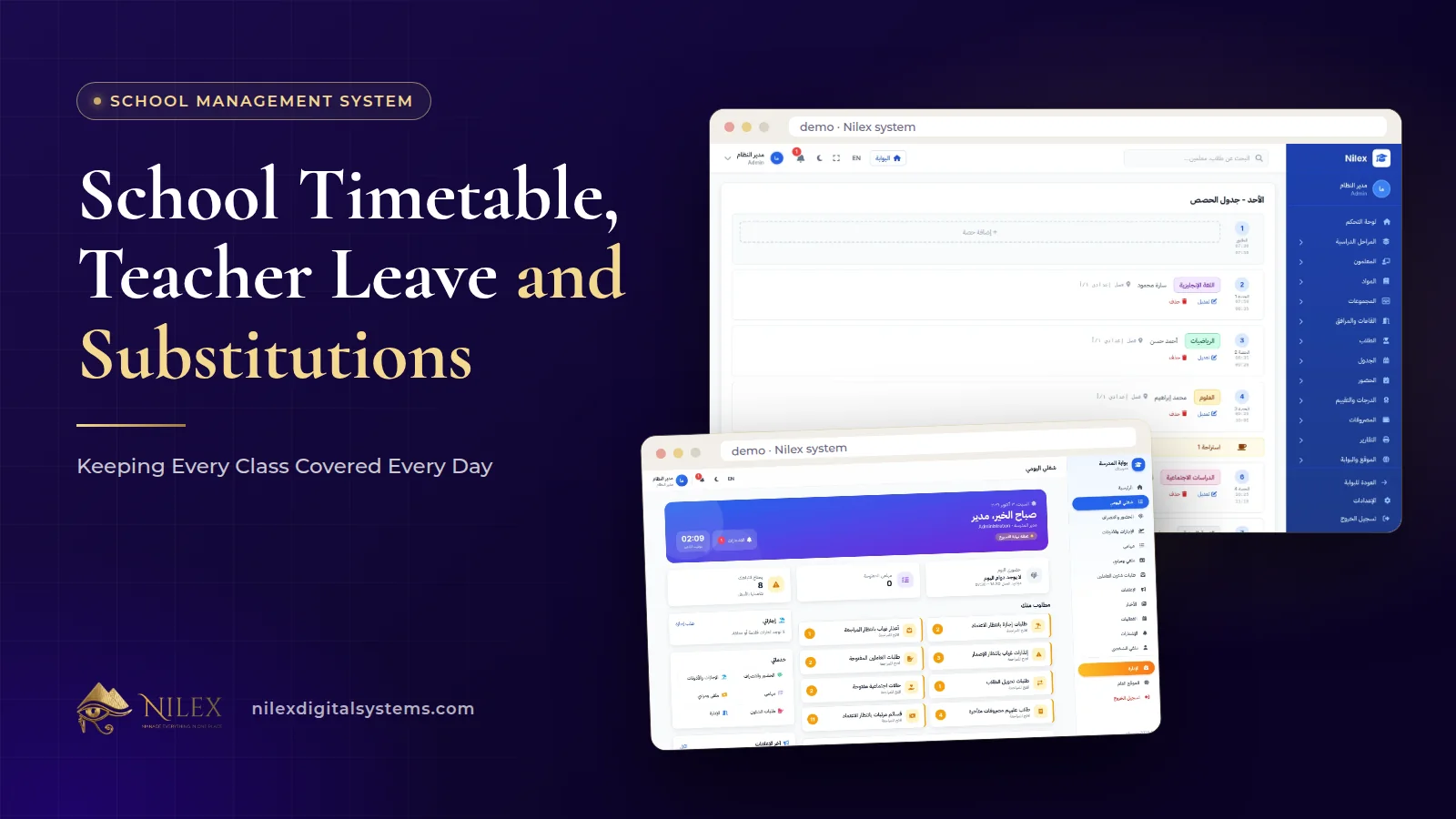
To keep every class covered, a school needs three things working together: a timetable that cannot put one teacher or one room in two places at once, a clear way for staff to request leave and short permissions before the day starts, and a record of substitute periods so the person arranging cover has a record of who has already covered which periods. When all three live in one system, the morning scramble becomes a short routine.
Most schools handle this today with a printed timetable, a phone call at 7 a.m. and a deputy head's memory. It works until the deputy is the one who is absent. This guide explains how the timetable, staff attendance, leave and substitutions fit together in our School Management System, and the policies a school should agree before the year starts.
Key takeaways
- Build the timetable from classes, subjects, teachers and rooms; the system blocks teacher and room clashes as you go.
- Each student, parent and teacher sees their own timetable in their portal, so the published version is the only version.
- Staff request leave and permissions through their employee portal, so requests are on record and approved before the day.
- Substitute periods are recorded in the system, giving a fair record of who covered what.
- The timetable is in the School Management plan; staff attendance, leave, permissions and substitute periods are in the Complete School plan.
What goes into a school timetable?
A timetable is the answer to one question asked hundreds of times: which teacher teaches which subject to which class, in which room, in which period? Before building it, collect four lists:
- Classes, by stage and grade.
- Subjects and how many periods each class needs per week.
- Teachers and the subjects each one teaches.
- Rooms, including shared ones such as labs, computer rooms and the sports hall.
The weekly period counts come from the school's study plan, so confirm them before you start. A timetable built on last year's counts is a timetable you will rebuild in October.
How does a clash-free timetable work?
A clash is any period where one teacher or one room is booked twice. On paper, clashes hide until the day a teacher stands in a corridor between two classes. In our system the timetable blocks teacher and room clashes, so a period that would double-book a teacher or a room is not accepted.
That changes how the timetable is built. Instead of drafting everything and then hunting for mistakes, the person building it places periods and is stopped at the moment a clash happens, when it is cheapest to fix. Some practical habits:
- Place the hardest constraints first: shared rooms, part-time teachers and teachers who teach across several stages.
- Then place the subjects with the most periods per week.
- Leave the most flexible subjects for last.
- Review each teacher's week for balance before publishing; "no clash" does not mean "a sensible day".
One published timetable for everyone
Once the timetable is ready, everyone sees their part of it in their portal: students and parents see the class timetable, and teachers see theirs. That removes the photo of a printed timetable circulating in a parents' group with last week's changes missing. How the portals and targeted announcements work is covered in our guide to the school website and parent portal.
Staff attendance, leave and permissions
Cover starts with knowing who is absent, ideally the day before. The Complete School plan adds staff attendance, leave and permissions (short absences within the day, such as leaving early or arriving late). Each employee has a portal with a daily work page and HR requests, so leave and permission requests are made there rather than on paper or by phone.
The value is less in the form than in the record. A request made in the system is on record, instead of a verbal agreement nobody can check later. At the end of the year, the school's leave records are already there, instead of reconstructed from notebooks. If your leave rules are being updated for Egypt's new labour law, see our guide to Labour Law 14/2025 and your HR system.
Agree the leave policy before the year starts
- How far in advance planned leave must be requested.
- Who approves leave for each stage or department.
- How a teacher reports a sudden absence, and by what time.
- Which days leave is normally not approved (for example exam days), as a written school rule.
These are school policies, not system rules. Write them down, share them with staff, and then use the system to apply them consistently.
Covering absent teachers with substitute periods
When a teacher is absent, each of their periods needs a substitute. Recording substitute periods in the system keeps the timetable covered and gives the school a fair record of who covered what, which is the part paper always loses.
A morning routine for the person responsible for cover:
- Check approved leave and permissions for the day, and any absences reported that morning.
- Check the absent teacher's periods on the timetable.
- For each period, choose a substitute who is free in that period, preferring someone who teaches the same class or subject.
- Record the substitute period, so the cover is on record.
- Tell the substitute in time, and leave work for the class where the absence was planned.
Fairness is the issue that causes the most friction in staff rooms. With substitute periods recorded, the person arranging cover can check the record of who has already covered this term, instead of asking the same reliable three people every time.
Paper and phone calls vs one system
| Task | Paper, WhatsApp and phone calls | In the school system |
|---|---|---|
| Building the timetable | Clashes found when they happen in class | Teacher and room clashes are blocked while building |
| Sharing the timetable | Photos of printouts, old versions circulating | Each user sees their timetable in their portal |
| Leave and permissions | Verbal requests, notebooks | Requests from the employee portal, on record |
| Covering absences | The deputy's memory and calls at 7 a.m. | Substitute periods recorded in the system |
| Who covered how much | Unknown, disputed | Substitute periods on record |
| Payroll | Separate sheet | Payroll and payslips in the same system |
How this connects to payroll
In the Complete School plan, payroll with payslips, HR letters, staff attendance, leave and substitute periods are all kept in the same system. How your school pays for cover, if it does, is a school policy; the point is that the records HR and payroll need are already in one place. The money side of the school year is explained in school fees and staff payroll, and why HR belongs inside the operations system in HR and payroll inside the operations system.
Which plan includes what?
| Feature | Website & Portal | School Management | Complete School |
|---|---|---|---|
| Portal for every user | Included | Included | Included |
| Clash-free timetable | Not included | Included | Included |
| Student attendance with Ministry warnings | Not included | Included | Included |
| Staff attendance, leave and permissions | Not included | Not included | Included |
| Substitute periods | Not included | Not included | Included |
| Payroll, payslips and the employee portal | Not included | Not included | Included |
Every plan has unlimited students and users. Plan prices are on the system page.
How Nilex helps
We deliver the system with your school's name, logo, stages and classes, and train your staff before launch, including the people who build the timetable and arrange cover. The management plans usually take two to four weeks to launch, depending on how much student data we load.
- See the timetable and HR screens, the modules and the plans on the system page, and use its form to request the system or a similar one.
- For the whole system in one read, start with school management system in Egypt.
- To plan your timetable and cover routine before the year starts, contact us.
Frequently asked questions
What kinds of clashes does the timetable block?
The timetable blocks teacher and room clashes, so one teacher or one room cannot be booked in two places in the same period.
Who sees the timetable?
Each user sees their own timetable in their portal: students and parents see the class timetable, and teachers see theirs.
How do teachers request leave?
In the Complete School plan, every employee has a portal with a daily work page and HR requests, where leave and permission requests are made and kept on record.
Are substitute periods paid automatically?
How a school pays for cover is its own policy. The system records substitute periods and keeps payroll in the same place; tell us your rules during setup and we will explain how they fit.
Which plan includes substitute periods?
The Complete School plan, together with staff attendance, leave, permissions, payroll and payslips. The clash-free timetable starts from the School Management plan.
 What Makes a Business System Professional: The Standards Nilex Builds Into Its Systems11 October 2026 · 11 min
 A Portal for Every Role: Why Nilex Systems Give Owners, Staff, Technicians and Customers Their Own Screens11 October 2026 · 9 min
 The Nilex Client Portal: Follow Your Project, Invoices, Payments and Requests in One Place11 October 2026 · 8 min