
HR, Attendance and Payroll Inside Your Operations System: Why Nilex Builds Them In
Which Nilex systems include HR, attendance and payroll, what each one covers, from technician commissions to substitute periods and employee portals, and why running people and operations in one system beats a separate HR app for most Egyptian businesses.
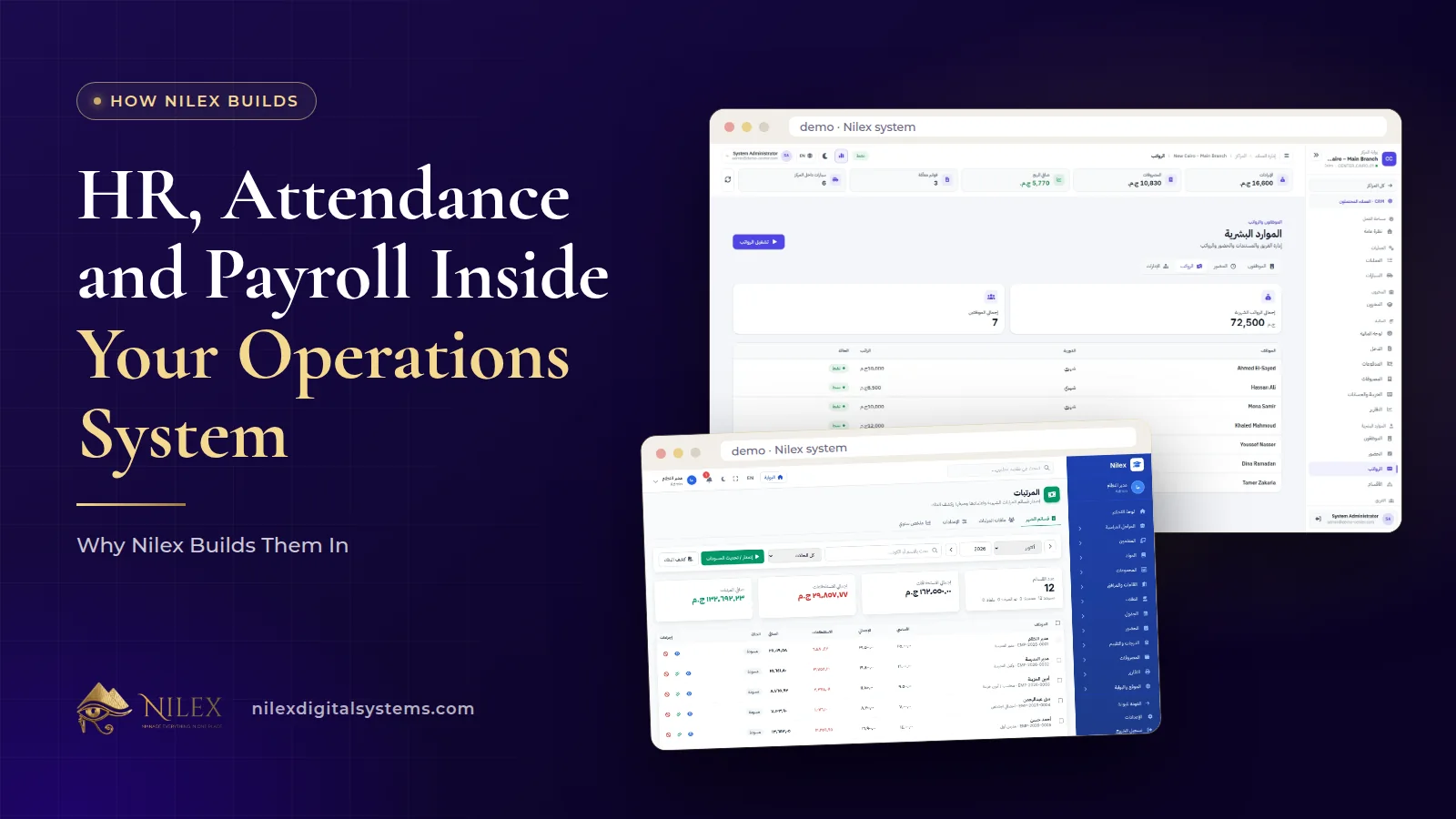
Several Nilex systems include HR, attendance and payroll inside the same system that runs the daily work, instead of leaving them to a separate HR program. The car protection centers system covers employees, attendance, overtime, advances, deductions, technician commissions and monthly payroll. The real estate developer system has an HR portal with an employee self-service portal. The school system covers staff attendance, leave, substitute periods, payroll and payslips, with an employee portal.
We build HR in because staff costs and staff work are tied to operations. The technician who worked on a car, the teacher who covered a missing colleague's class, the salesperson on leave: these facts live in the operations system. When HR sits in the same place, pay is recorded next to the work that actually happened, not in a second set of records someone has to keep in sync.
Key takeaways
- Three Nilex ready-made systems describe HR in detail: car protection centers, real estate developers and schools; the car repair system lists finance and HR per branch in its Growing Network plan.
- Car protection: attendance, overtime, advances, deductions, technician commissions and monthly payroll, with staff salaries in the ready PDF reports.
- Real estate: employees, org chart, attendance, leave and documents, plus a self-service portal for every employee.
- Schools: staff attendance, leave and permissions, substitute periods, payroll and payslips, HR letters and an employee portal.
- One system means one employee record, one set of permissions and one place where pay meets the work it pays for.
Which Nilex systems include HR?
Each system's HR is shaped by its sector. The table lists only what each system page states.
| Feature | Car protection centers | Real estate developers | Schools |
|---|---|---|---|
| Employees | By department | With org chart and documents | Every staff member has an account |
| Attendance | Yes, with overtime | Yes | Staff attendance |
| Leave | Not listed | Yes | Leave and permissions |
| Advances and deductions | Yes | Not listed | Not listed |
| Commissions | Technician commissions | Not listed | Not listed |
| Payroll | Monthly payroll | Not listed | Payroll and payslips |
| Sector-specific | Technicians recorded on each work order | HR as one of the department portals | Substitute periods, HR letters |
| Employee self-service | Technician portal for assigned jobs | Self-service portal for every employee | Employee portal: my work today and HR requests |
| In which plans | All plans | Full Commercial and Complete Developer | Complete School |
"Not listed" means the system page does not include it, not that it is impossible. Anything beyond what a page lists is custom work, quoted separately. Plans and prices are on each system page. The car repair workshop system also lists finance and HR per branch in its Growing Network plan, without more HR detail on its page.
Car protection centers: pay tied to the work
In the car protection centers system, HR covers employees by department, attendance, overtime, advances, deductions, technician commissions and monthly payroll. The key link is the work order: each car's file records the services done and the technicians who did them. That is why technician commissions belong in the same system rather than in a spreadsheet next to it.
Other links follow from the same design. The ready PDF reports include staff salaries alongside monthly operations and a comprehensive financial report, in Arabic or English. The network dashboard shows staff for every branch side by side with revenue, expenses and stock. Technicians have their own portal showing the jobs assigned to them. Our article on managing several car protection branches covers technician pay across a network in more detail.
Real estate developers: HR as a department portal
The real estate developer system gives every department its own portal: CRM, Sales, Projects, Finance, HR, Administration and Website. HR covers employees, the org chart, attendance, leave and documents, and every employee has a self-service portal.
Because HR is a portal in the same system, the employee's account is the same account they use for their daily work. Each employee's access is their role plus their department's permissions plus any personal permissions. When someone joins, moves department or leaves, it is one change in one place.
Schools: substitute periods, payroll and an employee portal
In the school management system, the Complete School plan adds money and people: staff attendance, leave and permissions, substitute periods, payroll with payslips, HR letters and a daily work page for every employee. The employee portal shows "my work today" and lets staff send HR requests.
Substitute periods show why HR belongs inside a school system: when a teacher is on leave, the cover has to fit the timetable, and the timetable is already in the system. Our article on school fees and staff payroll covers the money side of a school in one place.
One system or a separate HR app?
A separate HR program is not wrong, but for most small and mid-sized businesses running operations and HR apart creates the same problems again and again.
| Question | HR inside the operations system | Separate HR app |
|---|---|---|
| Where is the employee list? | One list, used by operations and HR | Two lists to keep in sync |
| Where do commissions come from? | In the same system as the work orders that record who did each job | Exported or typed in each month |
| Who manages logins and permissions? | One set of accounts and roles | Two sets of accounts |
| Can the owner see staff with the rest of the numbers? | Yes, in the same reports and dashboards | Only by combining reports |
| What happens when someone leaves? | One account to disable | Two or more accounts to remember |
A separate, specialised HR product can make sense for a large company with a dedicated HR department and complex requirements that an operations system does not aim to cover. For businesses where the owner or a small admin team runs HR alongside everything else, one system is usually simpler and more accurate. If your business does not match the systems above, our custom ERP service covers employees as part of one system for your whole company.
Salaries are sensitive: permissions and audit
Payroll data is among the most sensitive data in a company. In Nilex systems every user only sees what their role allows, and important actions such as changes, deletions and permission changes are recorded in the audit log with who did them and when. In the car protection system, for example, each branch manager sees only their own center, and access to payroll can be limited by role in the same way. Our article on the security built into Nilex systems explains these protections, and a portal for every role shows how the screens differ by user.
Keeping up with the labour law
HR software has to follow the rules that apply to your employees. Egypt's new Labour Law 14/2025 is covered in our separate article, what your HR system must change under Law 14/2025. Read it with your legal or HR adviser and bring the points that affect your company into the scope discussion, so any changes to leave types, payroll rules or records are agreed before the system goes live.
What to prepare for HR setup
- The employee list with departments or branches, job titles and start dates.
- How you calculate pay today: fixed salary, overtime, commissions, advances and deductions.
- Attendance rules: working days, shifts, and what counts as late or absent.
- Leave types you use and who approves them.
- Who should see salaries, and who should see only attendance.
How Nilex helps
HR inside the operations system is one example of the standards in our systems; the pillar article on what makes a business system professional shows the rest.
- Car protection center? See the HR and payroll module and plans on the car protection centers system page.
- Real estate developer or school? Compare the plans that include HR on the real estate and school system pages.
- Different sector? Contact us or read what happens after you request a system.
Frequently asked questions
Which Nilex systems include payroll?
The car protection centers system (monthly payroll with overtime, advances, deductions and technician commissions) and the school management system (payroll and payslips, in the Complete School plan). The real estate developer system includes HR with attendance, leave, documents and an employee portal, and the car repair system lists finance and HR per branch in its Growing Network plan.
Can technician commissions be calculated in the system?
Yes. In the car protection centers system, HR includes technician commissions, and each work order records the technicians who did the services.
Do employees get their own portal?
In the real estate system every employee has a self-service portal. In the school system the employee portal shows "my work today" and HR requests. In the car protection system technicians have a portal for the jobs assigned to them.
Can I hide salaries from branch managers?
Every user only sees what their role allows, so access to payroll can be limited by role. Important changes are recorded in the audit log.
Does the system follow the new labour law?
Discuss the rules that apply to your company during scoping, so they are part of the agreed setup. Our article on Law 14/2025 explains what changed.
 What Makes a Business System Professional: The Standards Nilex Builds Into Its Systems11 October 2026 · 11 min
 A Portal for Every Role: Why Nilex Systems Give Owners, Staff, Technicians and Customers Their Own Screens11 October 2026 · 9 min
 The Nilex Client Portal: Follow Your Project, Invoices, Payments and Requests in One Place11 October 2026 · 8 min