
A Real Estate Developer Website That Feeds the CRM: Enquiries, Leads and a Portal for Every Department
How a developer's website, CRM and internal portals work as one: available units straight from the inventory, enquiries that become leads with a follow-up, a portal per department, HR self-service and real-time team messages.
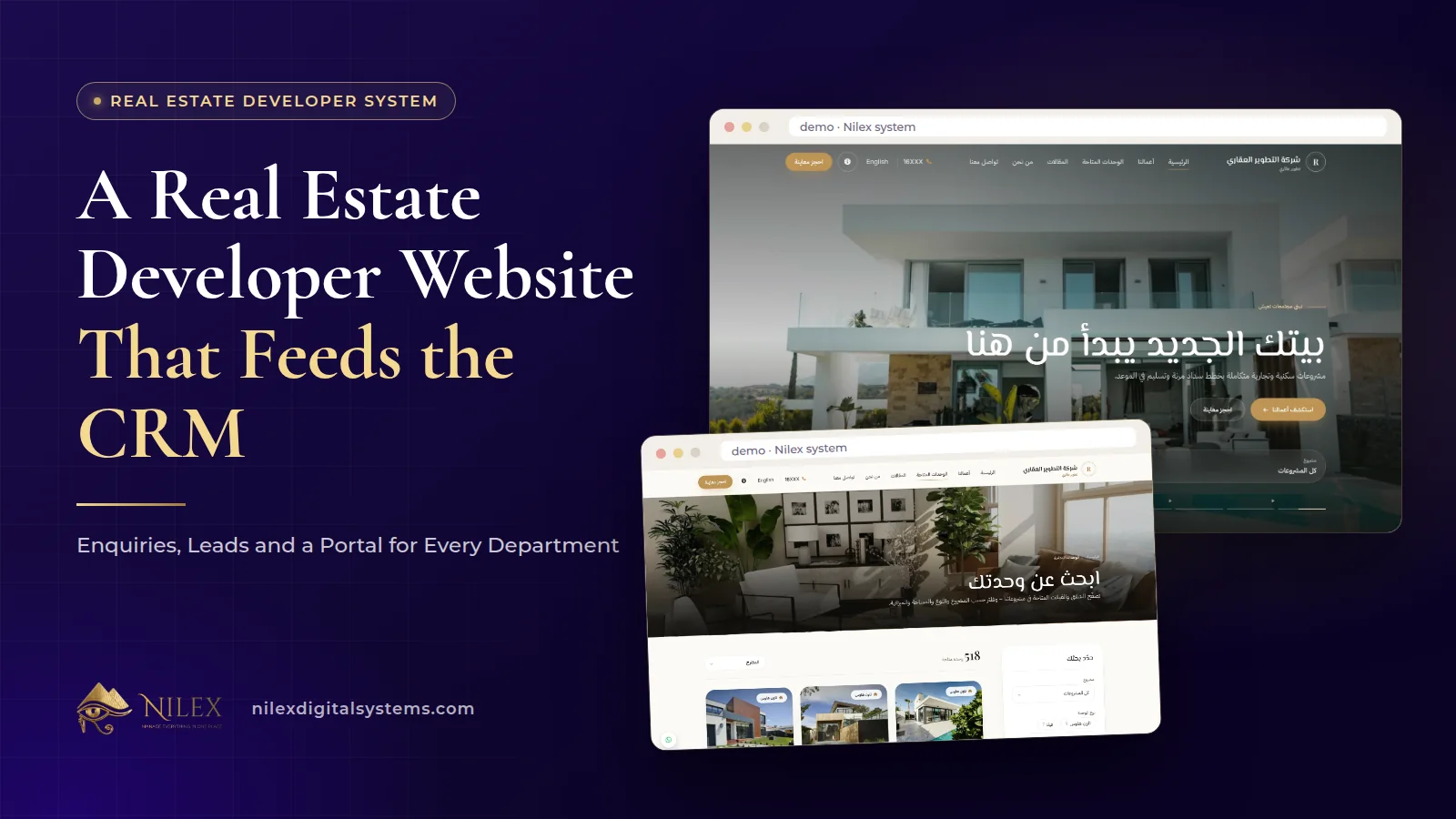
A real estate developer's website feeds the CRM when every contact form on it creates a lead with a follow-up for the lead owner, and when the units it shows come straight from the company's own inventory. The website stops being a brochure that someone updates now and then, and becomes the front door of the same system sales, finance and HR work in.
That matters because a developer's online enquiries are expensive to win and easy to lose. A buyer who fills in a form on Friday and hears nothing until Tuesday may well have called someone else by then. This article looks at the website, the path from enquiry to follow-up, and the internal side that the Full Commercial plan of our Real Estate Developer Management System adds: a portal for every department, HR with an employee portal, and real-time team messages.
Key takeaways
- The website shows available units straight from the inventory, with your projects and articles, in Arabic and English.
- Every contact form becomes a CRM lead with a follow-up for the lead owner, so no enquiry waits in a mailbox.
- Each department works in its own portal: CRM, Sales, Projects, Finance, HR, Administration and the Website.
- Access is the employee's role, plus their department's permissions, plus any personal permissions.
- The Full Commercial plan adds the CRM, the website, HR with an employee portal, and real-time team messages on top of sales and collections.
Why should the website and the system be one?
When a developer's website is a separate project, two things go wrong. Listings drift: a unit sold last month is still on the site, and a buyer calls about something that no longer exists. And enquiries scatter: forms go to a shared mailbox, an assistant forwards some of them, and nobody can say how many website leads became sales.
In our system the website shows available units from the inventory, so its listings change when the inventory changes. Its contact forms create CRM leads, so website enquiries sit in the same queues as calls and walk-ins. The general case for connecting a website to a management system is in a website connected to your management system; this article stays with what it means for a developer.
What should a developer's website contain?
The system's website covers three kinds of content, in Arabic and English:
- Available units, straight from the inventory. Buyers see what can actually be bought.
- Your projects, the pages buyers use to compare compounds and locations.
- Articles, which answer the questions buyers search for before they call.
Articles are where many developers under-invest. A buyer searching in Arabic for how a payment plan works or what to check before signing is early in the decision and looking for someone trustworthy. A clear answer from the developer, with a contact form under it, is a better first contact than an advertisement. Our guide to Arabic SEO content explains why Arabic articles are worth the effort.
What happens after a buyer fills in the form?
- The enquiry becomes a lead. Every contact form on the website creates a CRM lead, with a follow-up for the lead owner.
- It enters the follow-ups queue. Each agent's queue shows what is overdue, due today and coming up, so a website lead is handled like any other.
- The agent calls and logs it. Each call is logged with its result, channel, duration and summary, and the next follow-up is scheduled.
- Interest is linked to units. The units the buyer asks about are recorded against the inventory.
- The lead moves through the stages. New, contacted, interested, qualified and negotiation, on a kanban board, until a sale is made from an available unit.
The CRM side of this, including call logs and overdue alerts, is covered in our real estate CRM guide. One decision belongs to you before launch: who owns website leads by default, and how quickly you expect the first call. Write that down, because the system can show a follow-up is overdue, but only management can decide what "too late" means.
A word on privacy
A contact form collects names and phone numbers, which is personal data. Show a clear privacy notice next to the form and use the data for the purpose the buyer expects. Our guides to privacy notices under Egypt's data protection law and CRM and data protection cover what to prepare.
A portal for every department
Behind the website, the system gives each department its own portal with its own menu. An employee sees only the portals and pages that their role, their department's permissions and any personal permissions allow. In practice:
| Portal | Who works in it | What it holds |
|---|---|---|
| CRM | Sales agents and team leaders | Leads kanban, call logs, follow-ups and overdue alerts, interested units |
| Sales | Sales team and sales management | Customers, available units, sales contracts with payment plans, sales dashboard and tasks |
| Projects | Projects team | Each project's page; construction follow-up comes with the Complete Developer plan |
| Finance | Accountants and collectors | Due, overdue and upcoming installments, numbered receipts, cash boxes, bank accounts, cheques, expenses |
| HR | HR staff | Employees, org chart, attendance, leave and documents |
| Administration | Administration staff | Its own menu and permissions, like every portal |
| Website | Whoever manages the website | The website side: units shown, projects and articles |
The point is not only security. A sales agent who opens the system and sees only the CRM and Sales menus learns it faster than one facing every screen in the company. Our article on role-based portals explains the idea across all Nilex systems.
HR and the employee portal
The HR portal keeps employees, the org chart, attendance, leave and documents. Every employee also has a self-service portal of their own. For a developer with a sales floor, a site team and a head office, having HR inside the same system as sales and finance means one place to manage people and their access to the portals.
If your HR rules are being reviewed for Egypt's new labour law, read Labour Law 14/2025 and your HR system. Why HR belongs inside an operations system rather than in a separate tool is covered in HR and payroll inside the operations system.
Real-time team messages and notifications
The Full Commercial plan includes real-time team messages and notifications inside the system. For a sales team this keeps work conversations next to the work: a manager can message an agent about a lead or a contract without switching to a personal phone, and notifications reach people while they are working in the system. Use them for work that belongs to the company record, and keep the habit consistent across the team so messages do not end up split between the system and personal chats.
What the Full Commercial plan adds
| Area | Sales & Collections | Full Commercial |
|---|---|---|
| Units, contracts, payment plans, collections | Included | Included |
| CRM: leads kanban, calls and follow-ups | Not included | Included |
| Interested units linked to the inventory | Not included | Included |
| Company website with available units and articles | Not included | Included |
| Website enquiries become CRM leads | Not included | Included |
| HR and employee self-service portal | Not included | Included |
| Real-time team messages and notifications | Not included | Included |
Every plan has unlimited projects and users. Construction follow-up for every project is in the Complete Developer plan, explained in construction project tracking. Plan prices are on the system page.
How Nilex helps
We deliver the system with your projects, units, users and branding, set up the portals and permissions around your departments, and train your team before launch.
- See the website, CRM, portals and HR screens on the system page, and use its form to request the system or a similar one.
- If you mainly need a company website built for search, see our SEO business website service.
- To discuss how your departments are organised before choosing a plan, contact us.
For the whole system in one read, start with real estate developer management system.
Frequently asked questions
Do website enquiries reach the sales team?
Yes. Every contact form becomes a CRM lead with a follow-up for the lead owner, and it appears in that agent's follow-ups queue.
Will sold units stay on the website?
No. The website shows available units straight from the inventory, so a unit that is sold is no longer shown as available.
Can each department see only its own work?
Yes. Every department has its own portal, and each employee's access is their role plus their department's permissions plus any personal permissions.
Is the website in Arabic and English?
Yes. The website, like the rest of the system, works in Arabic and English.
Which plan includes the website and HR?
The Full Commercial plan: it adds the CRM, the company website, HR with the employee portal and real-time team messages to everything in Sales & Collections.
 What Makes a Business System Professional: The Standards Nilex Builds Into Its Systems11 October 2026 · 11 min
 A Portal for Every Role: Why Nilex Systems Give Owners, Staff, Technicians and Customers Their Own Screens11 October 2026 · 9 min
 The Nilex Client Portal: Follow Your Project, Invoices, Payments and Requests in One Place11 October 2026 · 8 min