
Unit Inventory for Real Estate Developers: Floor Plans, Availability and Bulk Price Updates Without Double Sales
How a developer should run its unit inventory: projects, compounds and buildings, a colour-coded floor plan by status, a price list with bulk updates and a preview, and the lock that stops one unit being sold to two customers.
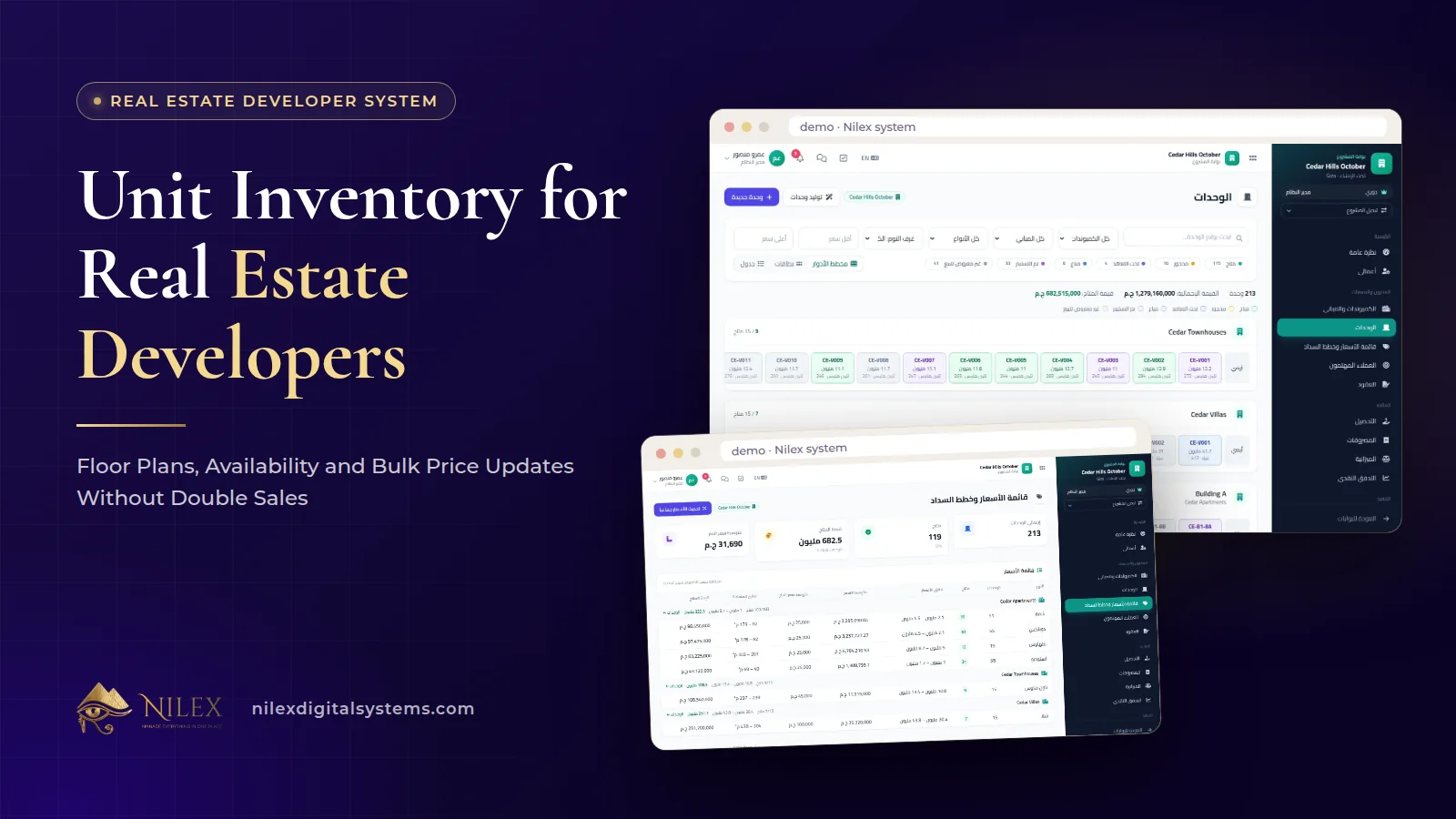
A developer's unit inventory is the single list of every unit it owns, organised by project, compound and building, with each unit's status and current price. When it is kept in one system, sales sees what is really available, sales and finance work from the same current price list, and management sees what is left to sell in each building, all from the same record.
Most of the expensive mistakes in real estate sales start in the inventory, not in the CRM: a unit offered to two buyers, a contract signed at last month's price, a building that looks sold out on the sales sheet but still has units on finance's sheet. This guide covers how to structure the inventory, how to read a floor plan, how to change prices safely, and how the inventory connects to leads, payment plans and the website in our Real Estate Developer Management System.
Key takeaways
- Structure the inventory the way you build and sell: projects, then compounds, then buildings, then units.
- A colour-coded floor plan answers "what is left in this building?" faster than any list.
- Price changes should be made in bulk, previewed before saving, and done from one place.
- Only available units can be chosen for a sale, and a unit is locked while the sale is saved, so it cannot be sold twice.
- The same inventory feeds interested leads, payment plans, contracts and the available units on your website.
What belongs in a developer's unit inventory?
For a factory, inventory means boxes on shelves. For a developer it means units that are planned, built or under construction, and each unit is unique: its floor, view, area and position in the building all change what it is worth. The inventory has to hold all of that and stay current every time a unit is reserved, sold or repriced.
In our system the inventory is organised in levels: projects contain compounds, compounds contain buildings, and buildings contain units. Each unit has a status, a place on its building's floor plan, and a price on the project's price list. The project's payment plans, interested leads and contracts all point back to the same units.
Before you load anything: agree the naming
The most common clean-up job in a new system is unit codes that mean different things to different teams. Before loading, agree one code format per project (for example building, floor and unit number) and use it everywhere: in brochures, contracts and the price list. It sounds small; it decides whether a sales agent and an accountant are talking about the same apartment.
How does a colour-coded floor plan help?
A spreadsheet with 400 rows tells you the facts but hides the picture. The floor plan shows every unit of a building in its position, coloured by status. A sales manager can see at a glance that the upper floors are sold, that the garden units on the ground floor are still open, or that one side of the building is moving slowly.
That picture is useful for more than sales calls:
- Launch planning: deciding which floors or buildings to release next.
- Pricing reviews: spotting units that nobody buys, which may be priced wrongly for their position.
- Management meetings: one screen per building instead of a printed list.
The statuses themselves are a company decision: agree what moves a unit out of "available" and who is allowed to do it, then let the floor plan show the result.
Which units are leads asking about?
In the CRM, a lead's interest is recorded against actual units, not as free text. Each project's portal also lists its interested leads, which gives the project team a demand signal: which units leads are asking about, and which units nobody asks about. Two units with the same area but very different interest are a pricing conversation waiting to happen. How agents record that interest is covered in our real estate CRM guide.
How should a developer update prices?
Developers revise prices often: a new phase launches, construction reaches a milestone, a building sells faster than planned. Editing prices unit by unit invites mistakes, and editing a copy of the price list in Excel creates two versions of the truth.
The price list in our system supports bulk price updates with a preview: you change the prices of a group of units at once, see the result before anything is saved, and then confirm. A short routine that keeps price changes safe:
- Agree the change in writing (which units, what rule, effective from when).
- Apply it as one bulk update to the agreed group.
- Check the preview against the rule, especially corner, garden and top-floor units with their own premiums.
- Save, and tell sales the new list is live so nobody quotes from an old printout.
An illustrative example: management decides to raise the prices of the 60 remaining units in one building once the structure is complete. Instead of 60 separate edits, the team updates that building's available units together, checks every new price in the preview, and saves. The numbers here are illustrative; the rule is yours.
From available unit to signed sale
A new sale starts from a customer, an available unit, the price and a payment plan. Only available units can be chosen, and the unit is locked while the sale is saved, so two agents saving at the same moment cannot sell the same unit. This protection matters most to buyers and to your reputation.
The payment plan then builds the schedule from the price: down payment, contracting and delivery payments, monthly or quarterly installments, and maintenance, club and parking fees, adding up to the contract value. Ready plans can be saved per project. We explain schedules and collections in real estate payment plans and installments, so here the point is simpler: agents should quote and sell from the same current price list the whole company sees.
Who uses the inventory, and for what?
| Team | What they need from the inventory | Where they see it |
|---|---|---|
| Sales agents | Available units, current prices, interested leads | CRM and Sales portals |
| Sales management | Floor plans by building, slow-moving units, price list | Sales portal and the project's page |
| Finance | Contract value per unit, payment plan, collections | Finance portal |
| Projects team | Units by building alongside construction progress | The project's portal |
| Website visitors | Available units only | The company website |
Each employee sees only the portals and pages their role, department and personal permissions allow, so an agent can see availability without seeing bank accounts. Our guide to role-based portals explains the idea in general.
Spreadsheet inventory vs a system inventory
| Question | Shared spreadsheet | Inventory in the developer system |
|---|---|---|
| Can a unit be sold twice? | Yes, if two people work from two copies | No: only available units can be chosen, and the unit is locked while the sale is saved |
| Is the price on the contract current? | Depends on which file the agent opened | One current price list in the system, updated in bulk with a preview |
| What is left in building B? | Filter and count rows | Open the floor plan |
| Does the website show sold units? | Until someone updates it | The website shows available units from the inventory |
Which plan includes the unit inventory?
The CRM & Sales plan shows interested and available units to sales teams. The Sales & Collections plan adds projects, compounds, buildings and unit floor plans, the price list and bulk price updates, contracts, payment plans and collections. Every plan has unlimited projects and users. Prices for each plan are on the system page. For the overall picture of the system, read real estate developer management system.
How Nilex helps
We deliver the system with your projects, units, users and branding, and train your team before launch. If your inventory lives in several files today, the Complete Developer plan includes data migration from your current files; in the other plans we agree what we load during setup.
- See the floor plan and price list screens on the system page and use its form to request the system or a similar one.
- If your sales process is very different, see our custom ERP and business systems service.
- Before you buy any system, try it on your own data with our guide to evaluating a system demo, or contact us to talk it through.
Frequently asked questions
Can a unit be sold twice by mistake?
No. Only available units can be chosen for a sale, and the unit is locked while the sale is saved.
Can I see a price change before it is applied?
Yes. Bulk price updates show a preview before anything is saved, so you can check the result first.
Can we manage several projects and compounds?
Yes. The inventory is organised by project, compound and building, and every plan has unlimited projects and users.
Does the website show units automatically?
The company website, included from the Full Commercial plan, shows available units straight from the inventory, so a sold unit does not stay on the site.
How long does it take to launch?
Usually three to six weeks, depending on how many projects and units we load and how much data is migrated.
 What Makes a Business System Professional: The Standards Nilex Builds Into Its Systems11 October 2026 · 11 min
 A Portal for Every Role: Why Nilex Systems Give Owners, Staff, Technicians and Customers Their Own Screens11 October 2026 · 9 min
 The Nilex Client Portal: Follow Your Project, Invoices, Payments and Requests in One Place11 October 2026 · 8 min