
Bookings, Calendar and Sales CRM for Car Protection Centers: From First Call to Booked Job
How a PPF, ceramic and tint center can stop losing enquiries: record every lead in a sales CRM, follow up on time, read the calendar before confirming a booking, and hand the booked car to check-in and a work order.
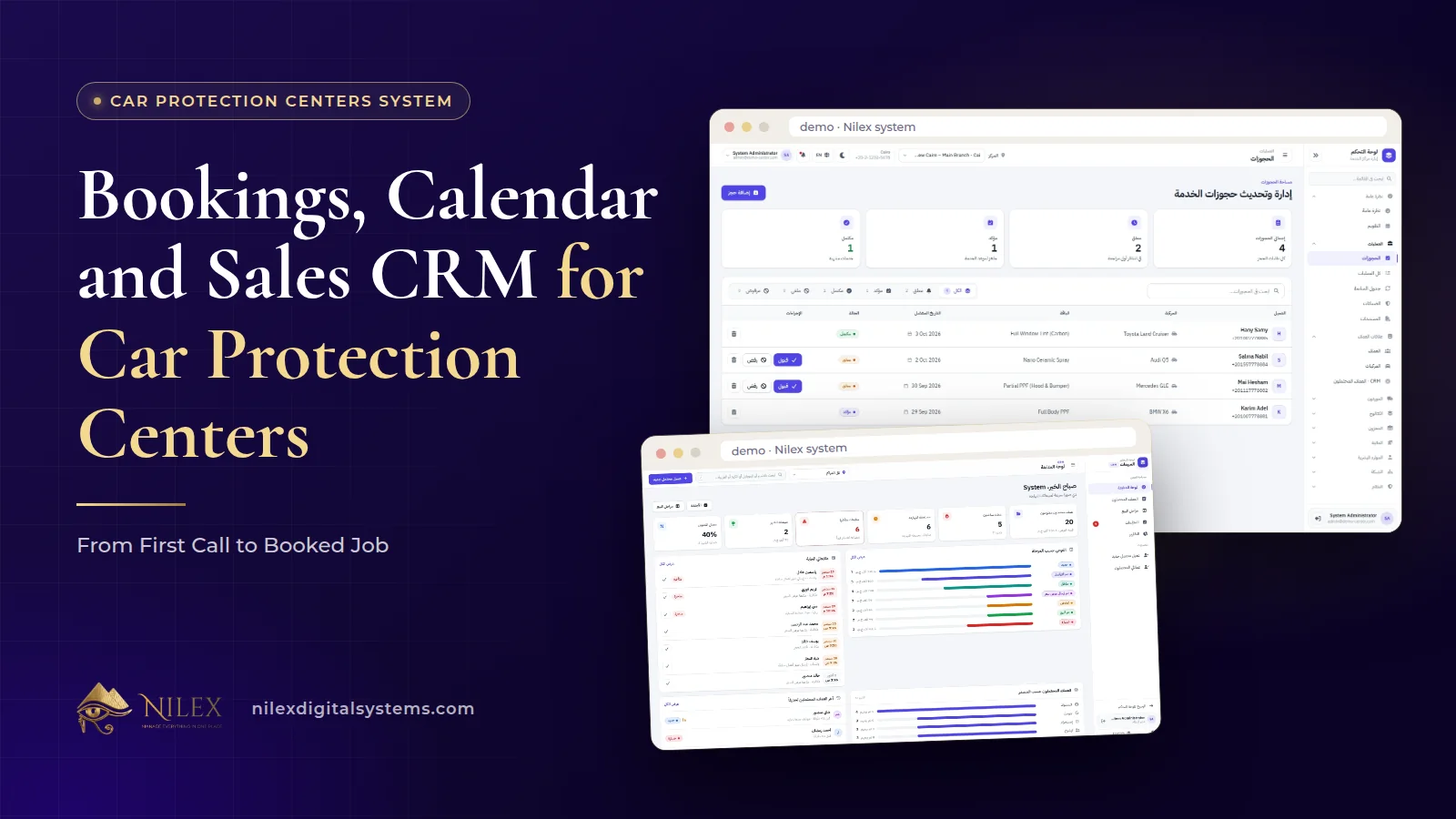
A car protection center turns a first call into a booked job by doing three things in order: it records every enquiry as a lead with the car, the service asked for and the quote, it follows up on a date someone actually owns, and it confirms a booking only after checking how loaded that day already is. When the car arrives, reception checks it in and opens a work order in the same system, so the sales history and the job are not kept in separate places.
Most PPF, nano-ceramic and tint centers do not lose customers in the bay. They lose them before the car ever arrives: a WhatsApp message asking "how much for full front PPF?" that got a price and no second message, a booking promised for Thursday when Thursday was already full, or a customer who called twice and spoke to two people. This article focuses on that first stretch of the journey, from the first enquiry to the moment the car is booked and handed to reception.
Key takeaways
- Every enquiry should become a lead with the car, the service asked for, the quote and the next follow-up date, not a chat that scrolls away.
- A sales pipeline with the value of every deal shows how much work is waiting to be won, not just how much is booked.
- Sales follow-ups (winning a new job) and re-inspection follow-ups (looking after a delivered car) are two different lists with two different purposes.
- Check the calendar's load for the day before confirming a booking, especially for long jobs such as full-body PPF.
- Reports on where customers come from tell you which channel deserves your marketing budget.
Where do enquiries get lost before the car arrives?
In most centers the sales process lives in three places at once: the reception phone, a shared WhatsApp number and the personal phones of whoever answers social media messages. Each of them works on its own. Together they produce the same leaks every week:
- The quote with no follow-up. The customer asked for a price, got one, and nobody wrote down that he should be called back on Sunday.
- The same customer, two answers. He called reception on Monday and messaged the page on Tuesday, and got two different quotes.
- The overbooked day. Two full PPF jobs were promised for the same morning because the person confirming the second one could not see the first.
- The unknown source. The owner pays for social media ads, but nobody can say how many booked jobs came from them.
None of these is a technician problem or a film problem. They are record-keeping problems, and they are fixed by putting leads, follow-ups and bookings in the same system the center already uses for check-in, work orders and warranties. Our overview of car protection center management software explains how those other parts fit together.
What should you record when an enquiry comes in?
The sales CRM in a protection center does not need to be complicated. It needs to hold the few facts that let anyone on the team pick up the conversation where it stopped:
- The person: name and phone number, so the next call goes to the right customer.
- The car: make, model and year, because a quote for a compact car and a large SUV are not the same quote.
- The service asked for: full PPF, front package, nano-ceramic, tint, color change or detailing.
- The value of the deal: the amount quoted, so the pipeline shows real money waiting to be won.
- The source: where the customer heard about you, recorded every time, so the source reports mean something.
- The next step and its date: who calls, and when.
The calls and follow-ups are then logged against the lead. When the customer calls back three days later, whoever answers opens the lead and sees the quote, the car and what was said last time. If the CRM idea is new to your team, our guide to what a CRM is and why businesses lose customers without one covers the basics.
Why does the value of every deal matter?
A list of names tells you who asked. A pipeline with the value of every deal tells you how much work is sitting between "asked for a price" and "booked". For a protection center, where a single full-body PPF job can be worth many small tint jobs, the count of leads alone is misleading.
Looking at the pipeline once a week answers practical questions: are high-value enquiries being followed up as carefully as small ones, which leads have been waiting the longest without a next step, and is the sales team quoting more than the bays can deliver next month? Whatever names your team uses for the stages, agree on what each one means, for example that a deal counts as won only when a booking is confirmed, so the pipeline value stays honest.
Sales follow-ups vs re-inspection follow-ups
Protection centers use the word "follow-up" for two different jobs, and mixing them causes both to slip. The car protection system keeps them apart: sales follow-ups live in the CRM with the lead, while re-inspection dates are calculated from the delivery date in the follow-up schedule and grouped as overdue, due soon and upcoming. The second list is explained in our article on check-in reports and digital warranties.
| Question | Sales follow-up (CRM) | Re-inspection follow-up |
|---|---|---|
| Who is the customer? | Someone who asked and has not booked yet | Someone whose car you already protected |
| Where does the date come from? | Set by the salesperson after each call | Calculated from the delivery date |
| Goal of the call | Win the job and book a slot | Check the work and keep the customer coming back |
| What success looks like | A confirmed booking | An inspection visit done on time |
| Who usually owns it | Sales or the person handling enquiries | Reception or customer care |
Keeping the lists separate also makes performance clearer: the sales team is measured on leads turned into bookings, and customer care on inspections completed on time.
Booking the slot: read the calendar before you confirm
The bookings and calendar module lets the team accept or decline a booking in one click and see how busy each day is before confirming a new one. That second part is what prevents the overbooked morning. A tint job and a full-body PPF do not occupy the center in the same way, so a day with "only three bookings" may already be full.
A few habits make the calendar reliable:
- Confirm from the calendar, not from memory. The person confirming looks at the day's load first, every time.
- Decline clearly and offer another day. A declined booking with a better date is still a customer; a vague "we'll call you" usually is not.
- Keep pending bookings short-lived. A booking that has been pending for days blocks planning. Accept it or decline it.
- Agree what counts as a full day for your center, based on your bays and your technicians, and stick to it.
If online booking for service businesses in general interests you, our article on online booking for service businesses compares what we built for different sectors.
From booked slot to work order: the hand-off at reception
A booking is a promise; the work order is the job. The moment the customer arrives, reception finds the customer, picks the car, records the mileage, condition notes and photos, and prints the check-in form for the customer to sign. The car then gets its work order with the services, the technicians, the payments, the external costs and the documents in one file.
That is the practical benefit of having sales and operations in one system: the enquiry, the follow-ups, the booking and the job are all in the same place for the team. Film for the job is then drawn from stock measured by the meter, which we cover in film stock by the meter.
| Stage | Who acts | What gets recorded |
|---|---|---|
| Enquiry | Sales or whoever answers | Lead: customer, car, service, quoted value, source |
| Follow-up | The owner of the lead | Calls and the next follow-up date |
| Booking | Sales or reception | Accepted or declined after checking the day's load |
| Arrival | Reception | Check-in: mileage, condition notes, photos, signed form |
| Job | Technicians and the branch manager | Work order: services, technicians, payments, costs, documents |
Which channels actually bring paying customers?
The CRM's reports on where customers come from are only as good as the habit of recording the source on every lead. Once that habit is in place, the owner can compare channels on what matters: not how many people asked, but how many deals were won and what they were worth.
| Source (illustrative example) | Leads in a month | Booked | What it suggests |
|---|---|---|---|
| Social media ads | 60 | 6 | Many price-shoppers; check the quote follow-up |
| Referrals from past customers | 12 | 7 | Small but strong; ask delivered customers for referrals |
| Walk-ins | 15 | 5 | Reception's first answer matters |
Illustrative example: the figures are made up to show how to read a source report, not results from any center. The point is the comparison. A channel with many leads and few bookings may need a better follow-up script, not a bigger budget.
Leads are personal data, so collect only what you need and limit who can see it. Our article on CRM and Egypt's personal data protection law explains the obligations.
Bookings and leads across several branches
When a network grows, the network dashboard shows pending bookings for every branch side by side with revenue, cars in the shop and low stock, so the owner sees where demand is piling up. Each branch manager sees only their own center. How finance, stock and pay work across a network is covered in our guide to managing several car protection branches.
How Nilex helps
The car protection film centers management system includes bookings and a calendar with one-click accept or decline and the day's load, a sales CRM with leads, calls, follow-ups, a pipeline with the value of every deal and lead-source reports, and the check-in and work orders for when the car arrives. It runs in the browser in Arabic and English, and we set it up with your centers, services and prices and train your team before go-live.
Plan contents matter here. On the system page, bookings and the calendar are part of the Single Center plan; the sales CRM, together with customer and technician portals, is listed from the Growing Network plan; and a website for your centers with online booking and articles is part of the Unlimited Chain plan. The plans and their prices are shown on the system page, which also has demo videos and a request form for the same system or a similar custom one. Once a booking turns into a delivered car, what the customer and the technician see is covered in customer and technician portals at car protection centers. Questions first? Contact us.
Frequently asked questions
Is the sales CRM included in every plan?
No. Bookings and the calendar are in the Single Center plan, while the sales CRM is listed from the Growing Network plan. Check the plans on the system page for the full contents of each.
Can customers book online?
A website for your centers with online booking and articles is part of the Unlimited Chain plan. If you need it with another plan, mention it in your request and we will quote it.
Does the system send booking reminders to customers?
Automatic reminder messages are not among the published modules. The team sees bookings, their status and the day's load; if you need automatic messages, ask for them as custom work.
What is the difference between CRM follow-ups and the follow-up schedule?
CRM follow-ups belong to leads who have not booked yet. The follow-up schedule lists re-inspection dates for delivered cars, calculated from the delivery date.
Can sales work from a phone?
Yes. The system runs in the browser on computers, tablets and phones, and we host it, so there is nothing to install.
 What Makes a Business System Professional: The Standards Nilex Builds Into Its Systems11 October 2026 · 11 min
 A Portal for Every Role: Why Nilex Systems Give Owners, Staff, Technicians and Customers Their Own Screens11 October 2026 · 9 min
 The Nilex Client Portal: Follow Your Project, Invoices, Payments and Requests in One Place11 October 2026 · 8 min